

Life360: Live Location Sharing

100,000,000+
Installs
Life360
Developer
-
Lifestyle
Category
-
Rated for 3+
Content Rating
-
feedback@life360.com
Developer Email
-
http://www.life360.com/mobile_privacy_policy
Privacy Policy
Screenshots
editor reviews
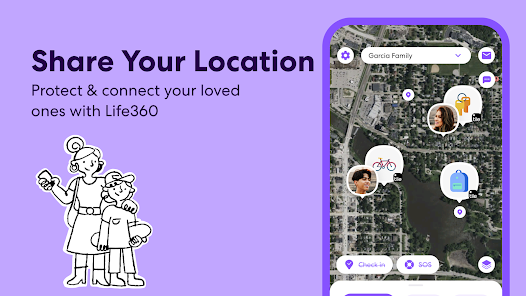
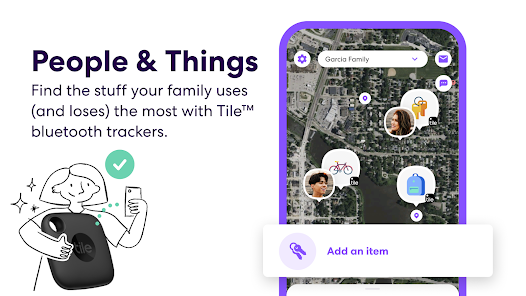
Life360 is a family location-sharing app developed by Life360, Inc., designed primarily to keep track of family members and close friends through real-time GPS location sharing. It's been around since 2008, so it's been in the game for a while, and you can grab it on both the Google Play Store and the Apple App Store. The app is free to download and install, though there are subscription tiers if you want extra perks. You don't have to register with a credit card to start using it, but you do need to create an account and set up a “Circle” with your family or friends. As of now, it's racked up over 100 million installs on Google Play alone, with a rating hovering around 4.4 stars, so it's pretty popular. There are some ads in the free version, and in-app purchases exist for premium features like driving reports or location history. The target audience is pretty broad—anyone from parents worried about their teen's driving to couples wanting to check in on each other. Common use scenarios include seeing when a kid gets home from school, getting alerts if someone leaves a set place, or just knowing where your partner is during a commute.
Using Life360 is straightforward once you get the hang of it. After you download and install the app from the Google Play Store, you create a profile and invite people to your Circle via text or email. They accept, and boom—everyone's location pops up on a map. You can customize Circles, like one for family and another for close friends, which is handy. A tip I've picked up is to set up “Places” early on—like Home, Work, or School—so the app sends alerts when people arrive or leave. It saves you from constantly checking. Also, the battery drain can be a concern, so I'd suggest tweaking the location update frequency in settings to “Low” if you're not in a hurry. Another trick: use the crime reports feature in the app, which pulls local safety data, to gauge an area before heading out. For daily use, I just check the map to see where my family is, or I turn on location sharing for a trip so they know I'm safe. The app's chat function is basic but works for quick messages, though most people just use it for location stuff.
I've tried a few similar apps, like Find My iPhone or Google's Family Link, but I stick with Life360 because it feels more complete for family tracking. Find My is only for Apple devices, which doesn't work since my brother uses an Android, and Family Link focuses more on screen time limits than location. Life360 handles both iOS and Android without fuss, and the social safety features—like crash detection and roadside assistance on the paid plans—give me peace of mind that the others don't. The free version is solid enough too, so I don't feel pressured to subscribe. For me, it's the go-to app for keeping tabs on my crew without overcomplicating things.
features
- 📍 Real-time location tracking is the bread and butter here. Compared to a similar app like Glympse, which lets you share location for a set time, Life360 keeps it going 24/7 unless you stop it. I can see my family's live location on a map, and it updates every few seconds, so I know exactly where my kid is during a school trip. Glympse is more temporary, but Life360's constant sharing feels better for daily peace of mind.
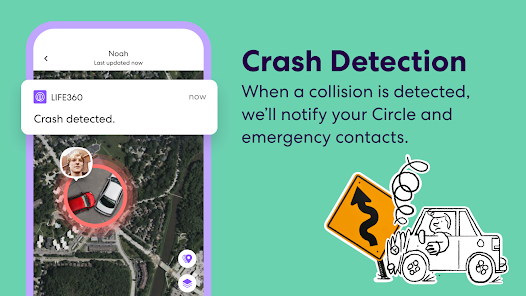
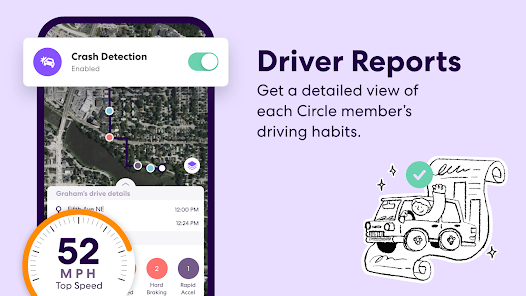
- 🚗 Driving safety features are a standout. With the premium tier, I get crash detection that alerts emergency contacts if it detects a car accident, plus a driving report that shows speed, phone use, and hard braking. It's more robust than Google Maps' location sharing, which doesn't have any safety monitoring. My teenager's driving report gives me a sense of their habits without nagging.
- 🧭 Place alerts are super useful. I can set up specific locations like “School” or “Gym,” and the app sends me a notification when someone arrives or leaves. Similar apps, like Find My, have location notifications but aren't as customizable—Life360 lets me set a radius around each place, which cuts down on false alarms. It's a big time-saver for tracking routines.
- 🛡️ Crime reports and safety features add an extra layer. The app pulls in local crime data based on GPS coordinates, so I can check if an area seems sketchy before visiting. It's not something you get in a basic app like Zello, which is more about walkie-talkie use. Life360 feels like a full family safety toolkit rather than just a tracker.
pros
- 🌍 Cross-platform compatibility is a big win. Unlike Apple's Find My, which only works on iPhones, Life360 works on both Android and iOS through the Google Play Store and App Store. My family has a mix of devices, so everyone can download and install it without issues.
- 🆓 The free version is actually useful. Google Family Link is free too, but it's more for parental controls like screen time. Life360 gives me core location sharing without a subscription, which is rare—other apps like mSpy charge for basics.
- 👨👩👧👦 Circle setup feels more private. I can create separate groups for family and friends, unlike Snapchat's Snap Map that shares to everyone. It keeps my close contacts separate.
cons
- 🔋 Battery drain is pretty noticeable. Compared to simpler apps like Glympse, which runs on a timer, Life360 constantly pings for location, so I have to charge my phone more often. It's a trade-off for real-time updates.
- 💲 Premium costs add up fast. The subscription for crash detection and driving reports is pricey compared to Google Maps' free location sharing. I wish more features were included in the download without requiring extra payment.
- 👻 Privacy concerns are a turn-off for some. The app logs location history, and while I'm fine with it, friends who use Find My note that Apple encrypts data more heavily. Life360's data sharing has been critiqued before.
Recommended Apps
![]()
Google One
Google LLC4.1
![]()
Glam AI: Video & Photo Editor
Glam Labs, Inc.4.6
![]()
Pencil Sketch
Dumpling Sandwich Software Inc.4.7![]()
Monster Girl Maker 2
GHOULKISS4.3![]()
Wonder - AI Art Generator
Codeway Dijital3.7![]()
Prediction 2026: Savage Reveal
LKPixel0![]()
AI Photo Editor, Collage-Fotor
AI Art Photo Editor | Everimaging Ltd.4.3![]()
PixVerse: AI Video Generator
PixVerse4.5![]()
Photo Collage Editor
MeiHillMan4.7![]()
Google Maps
Google LLC4.2![]()
Walgreens
Walgreen Co.4.7![]()
QR Code Reader Barcode Scanner
Celebrity App Studio3.9![]()
Serene - Zodiac Compatibility
Hashtag inovation2.8![]()
Venmo
PayPal, Inc.4.2![]()
BESTPLAY Play to earn & donate
Bestplay4.7





























