

Ford™

10M+
Installs
Ford Motor Co.
Developer
-
Lifestyle
Category
-
Everyone
Content Rating
-
fordpass@ford.com
Developer Email
-
https://www.fordpass.com/fordpassprivacy
Privacy Policy
Screenshots
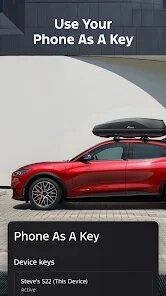
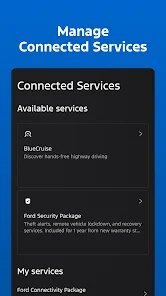
editor reviews
I've been using the FordPass app for a while now, and honestly, it's become one of those tools I don't think I could easily go without. Developed directly by Ford Motor Co., this app is basically a companion for Ford vehicle owners, letting you control and monitor certain aspects of your car right from your phone. It first launched a few years back, and you can grab it for free from the Google Play Store or the Apple App Store. The download is no cost at all, and while you do need to create a Ford account and register your vehicle, the whole setup is pretty straightforward. I'd say it's geared toward anyone who owns a compatible Ford — whether you're driving something newer like a Mustang Mach‑E or a 2020 F‑150, the app tends to work smoothly. It's especially useful if you live in a colder climate because you can remote start your car from inside your home, which is honestly a lifesaver. The app itself has seen quite a few updates over the years, and it now boasts millions of installs on Google Play alone, with pretty decent ratings overall. You won't find any mandatory subscriptions to use the basic features, though there are some optional connected services that could require a paid plan down the line. And yes, there are some ads for Ford services here and there, but they're not too intrusive.
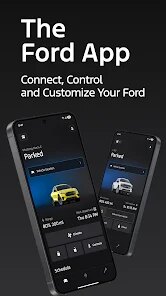
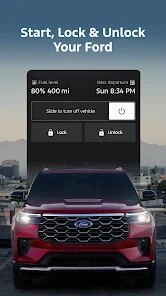
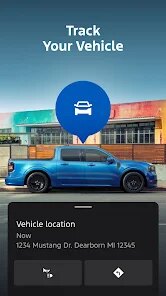
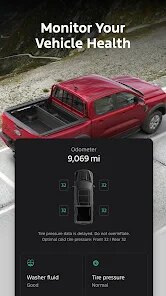
Actually using the app day‑to‑day is a lot easier than I initially thought. After you install the app and sign in, you'll see your vehicle's status on the main screen — things like fuel level, tire pressure, and even oil life. Want to remote start the engine? Just tap the button and confirm. It also lets you lock or unlock the doors, which is great when you're carrying groceries and can't dig your keys out of your pocket. A tip I picked up early on: if you're parked in a big lot and can't remember exactly where, the app has a “Vehicle Locator” feature that shows your car's position on a map. It works surprisingly well. Another thing I found useful is scheduling a remote start through the app's timer — you can set it to warm up or cool down the car before you even head out. And if you ever get a “check engine” light, the app gives you a basic code description, which can save you a trip to the mechanic if it's something simple.
I've tried a few other car companion apps like MyChevrolet or Hyundai's Blue Link service, and honestly, FordPass stands out for one main reason: it feels less cluttered. I'm not a car expert, and some apps throw too many menus and stats at you. FordPass keeps things simple — the buttons are big, the icons make sense, and I can do what I need in under 30 seconds. I also like that it doesn't annoy me with constant notifications unless something's actually wrong. MyChevrolet, on the other hand, kept pinging me about unrelated offers. FordPass also has a “Dealership” tab where you can schedule service appointments directly, which I've used twice and found way easier than calling. It's not perfect, but for my day‑to‑day needs, it does what it says.
features
- 🎯 Remote Start & Climate Control: One of the biggest reasons I chose FordPass over something like MyChevrolet is the remote start feature. While Chevy's app technically has it too, FordPass lets you set a specific temperature and even control the heated seats or steering wheel right from the app. That little extra control makes a real difference on a freezing morning. I've never seen that level of detail in the Hyundai Blue Link app either.
- 📱 Simplified Dashboard Layout: Compared to, say, the BMW Connected app, FordPass feels way less overwhelming. BMW's app has a ton of tabs and settings that I honestly never used. FordPass shows your car's basic info — fuel, battery, tire pressure — in a single glance. No scrolling through extra menus. It just feels more practical for someone like me who doesn't want to spend time figuring out an interface.
- 🔔 Smart Notifications: Another standout is how the app handles warnings. My mother's Kia Access app spams her with repeated “low tire pressure” alerts even after she's filled the tires. FordPass sends one notification, and it stops unless the issue changes. That might sound small, but it's the kind of thoughtful design that keeps me from uninstalling the app out of annoyance.
pros
- 💪 It's totally free to download and use the basics — no forced subscription like some apps (looking at you, Porsche's Connect app) that require a monthly fee just to lock your doors remotely.
- 💪 The “Service” tab makes it dead simple to book an appointment at a nearby Ford dealership. I've tried similar features in the Toyota app, and it was buggy — FordPass handled it without a hitch.
- 💪 The app updates regularly, and Ford actually listens to user feedback — I noticed they added a “dark mode” after many users requested it in Google Play reviews, which other apps like NissanConnect still lack.
cons
- ⚠️ It can be slow to connect sometimes — especially when I'm in a parking garage with weak signal. The Hyundai Blue Link app, in my experience, seems to respond faster even in similar spots.
- ⚠️ Occasionally, the remote start will fail without any clear reason. I've had it happen three times now, and it just says “Command Failed.” My friend's Chevrolet app rarely has that issue.
- ⚠️ The app's “tire pressure” reading isn't always accurate — once it showed 42 PSI in a tire that was actually at 50 PSI when I checked manually. Not a deal‑breaker, but it makes me less trusting of the data.
Recommended Apps
![]()
Google One
Google LLC4.1
![]()
Glam AI: Video & Photo Editor
Glam Labs, Inc.4.6
![]()
Pencil Sketch
Dumpling Sandwich Software Inc.4.7![]()
Monster Girl Maker 2
GHOULKISS4.3![]()
Wonder - AI Art Generator
Codeway Dijital3.7![]()
Prediction 2026: Savage Reveal
LKPixel0![]()
AI Photo Editor, Collage-Fotor
AI Art Photo Editor | Everimaging Ltd.4.3![]()
PixVerse: AI Video Generator
PixVerse4.5![]()
Photo Collage Editor
MeiHillMan4.7![]()
Google Maps
Google LLC4.2![]()
Walgreens
Walgreen Co.4.7![]()
QR Code Reader Barcode Scanner
Celebrity App Studio3.9![]()
Serene - Zodiac Compatibility
Hashtag inovation2.8![]()
Venmo
PayPal, Inc.4.2![]()
BESTPLAY Play to earn & donate
Bestplay4.7





























