
Tuya- Smart Life, Smart Living

10M+
Installs
Tuya Smart Inc.
Developer
-
Lifestyle
Category
-
Everyone
Content Rating
-
support@tuya.com
Developer Email
-
https://developerapp.tuyaus.com/protocol/1a81698945002037?lang=en
Privacy Policy
Screenshots
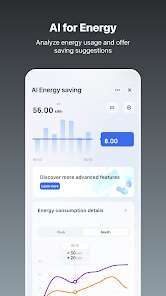
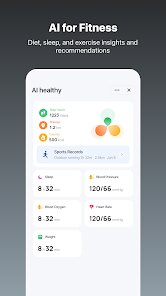
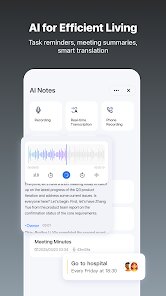
editor reviews
Tuya - Smart Life, Smart Living is a home automation app developed by Tuya Smart Inc. Think of it as a universal remote and control hub for all your smart home gadgets under one roof. It was launched a few years ago and quickly became popular because it works with a massive number of third-party devices, not just ones made by Tuya. You can find it for free on the Google Play store and the Apple App Store. The app itself is free to download and install, and you don't absolutely need to register to use the demo mode, but you will need to create a free account to actually connect and manage your devices. The app has over 50 million installs on Google Play alone, with a solid rating hovering around 4.5 stars, which shows how many people rely on it daily. It primarily targets anyone who owns a smart home device from a less-known brand or users who want to keep all their lights, plugs, sensors, and cameras in one app instead of juggling ten different ones.
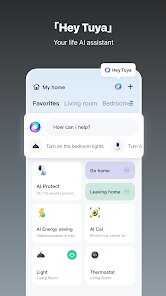
Using the Tuya app is pretty straightforward once you get the hang of it. After you install the app, the first step is creating an account. Then you tap the '+' icon in the top right corner to add a device. The most crucial tip here is to put your smart device into pairing mode first, which usually means holding down a button until its light starts flashing rapidly. The app will then scan for the device, and once it finds it, you just connect it to your Wi-Fi. A big tip I learned the hard way is that the app works best on a 2.4GHz Wi-Fi network, not 5GHz. If the setup fails, try switching your phone to the 2.4GHz band. Once everything is connected, you can name each device, group them into rooms like 'Living Room' or 'Bedroom', and start creating scenes. For example, you can set a 'Good Night' scene to turn off all the lights and lock the smart lock with a single tap.
When I was shopping for a smart home manager, I looked at a few other apps. The biggest one is probably Google Home, which is great for controlling Nest products and Chromecasts. But I ended up choosing Tuya over Google Home for a very simple reason: compatibility. Google Home is pretty picky about which brands it works with, and a lot of the cheaper smart plugs and bulbs I found on Amazon weren't supported. Tuya, on the other hand, seems to work with almost everything. You'll find 'Works with Tuya' on so many different brands. It's not the prettiest app out there, and the interface can feel a bit cluttered compared to something like the Apple Home app, but for the sheer number of devices it can handle, it's unbeatable. I've got smart plugs from a random brand called 'LoraTap' and some LED strips from 'Govee,' and they all show up in my Tuya app without any issues.
features
- 💡 Broad Device Compatibility: This is Tuya's biggest strength by far. While apps like Google Home only support a curated list of brands, Tuya acts like a universal translator for smart home devices. I can use it to control a $10 smart plug from an unknown brand just as easily as a more established one. It essentially creates a single control point for all the random smart gadgets you find online, which is something Google Home or Samsung SmartThings can't always do reliably.
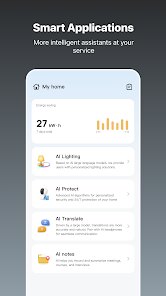
- ⚙️ Advanced Automation Scenes: The scene and automation engine inside Tuya is incredibly powerful for a free app. You can set triggers based on time, device status, or even weather conditions. For instance, I have an automation that turns on a plug-in (a space heater) when my temperature sensor drops below 18°C, but only if I'm home. This level of logic is often reserved for more expensive hubs or proprietary systems, but Tuya gives it to you for free.
- ⏱️ Offline Schedules: One feature that surprised me is that schedules and timers actually run locally on the devices or the cloud, not just on my phone. So even if my phone is off or I accidentally force-close the Tuya app, my scheduled tasks still execute perfectly. This is more reliable than similar apps that rely on your phone as a hub, which sometimes fail if your phone is asleep or on a different network.
pros
- 📦 Zero Hardware Lock-In: Unlike Apple HomeKit which requires a special chip or Philips Hue which needs its own bridge, Tuya devices just need Wi-Fi. I can pick up any cheap smart accessory from Temu or Aliexpress, and as long as it says 'Smart Life' or 'Tuya' on the box, it will work seamlessly. There is no hidden cost to get started.
- 🌐 Big User Community: Because so many people use the Tuya app on Google Play, it is very easy to find help online. If I get stuck on a setup issue or want to know the best way to configure a scene, thousands of forum posts and YouTube guides pop up instantly. You don't get that level of community support for really niche apps.
- 🔄 Cross-Platform Reliability: The app syncs perfectly between my Android phone and my partner's iPhone. Any scene I create on Google Play shows up on her iOS device instantly. This cross-platform peace of mind is a big reason I stuck with this app over others that only work well on one operating system.
cons
- 🤖 Cluttered and Complex Interface: While its power is great, the app's UI feels outdated and crowded. Navigating through device settings to find a specific function can be a chore compared to the sleek, simple design of the Apple Home app. It can feel overwhelming for a beginner who just wants to turn on a lamp.
- 🔗 Wi-Fi Dependency & 2.4GHz Lock: Many competing apps like Matter-compatible ones now support Thread or Zigbee for local control. The Tuya Smart app relies almost entirely on Wi-Fi and specifically 2.4GHz. This means if you have a mesh network or a modern router that tries to combine bands, setup can be a headache. It also drains your battery faster on battery-powered sensors because Wi-Fi uses more power than Zigbee.
- 📡 Cloud Reliance for Remote Access: To control devices when you're away from home, the Tuya app requires a cloud connection. Unlike Home Assistant or Hubitat which can work locally on your home network, if Tuya's servers go down or your internet is out, the remote control feature is completely dead in the water.
Recommended Apps
![]()
Google One
Google LLC4.1
![]()
Glam AI: Video & Photo Editor
Glam Labs, Inc.4.6
![]()
Pencil Sketch
Dumpling Sandwich Software Inc.4.7![]()
Monster Girl Maker 2
GHOULKISS4.3![]()
Wonder - AI Art Generator
Codeway Dijital3.7![]()
Prediction 2026: Savage Reveal
LKPixel0![]()
AI Photo Editor, Collage-Fotor
AI Art Photo Editor | Everimaging Ltd.4.3![]()
PixVerse: AI Video Generator
PixVerse4.5![]()
Photo Collage Editor
MeiHillMan4.7![]()
Google Maps
Google LLC4.2![]()
Walgreens
Walgreen Co.4.7![]()
QR Code Reader Barcode Scanner
Celebrity App Studio3.9![]()
Serene - Zodiac Compatibility
Hashtag inovation2.8![]()
Venmo
PayPal, Inc.4.2![]()
BESTPLAY Play to earn & donate
Bestplay4.7





























