

AI Detector & Humanizer

100K+
Installs
Wallet Passes Alliance
Developer
-
Productivity
Category
-
Everyone
Content Rating
-
support.aidetector@walletpasses.me
Developer Email
-
https://walletpasses.me/aidetector/privacy/
Privacy Policy
Screenshots
editor reviews
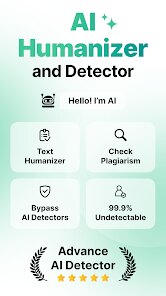
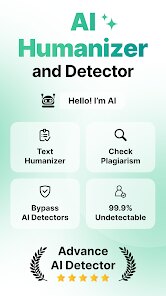
AI Detector & Humanizer is exactly what it sounds like — an app that checks your text for AI-generated content and then helps you rewrite it so it sounds more natural, like a real person wrote it. Developed by Wallet Passes Alliance, this handy tool launched back in 2024 and is available for anyone to download straight from the Google Play Store. Since I've been using it, I've noticed it's also listed on the App Store, so iOS users can get in on the action too. The app has racked up over 500,000 installs so far, which gives you an idea of how popular it's becoming. Best of all, it's free to download and use, though there is a premium subscription that unlocks more advanced features. You don't have to register an account to start using the app, but if you do sign up, it syncs your history across devices. There are some ads in the free version, but they're not too intrusive. The ratings on Google Play are pretty solid, hovering around 4.3 stars from thousands of reviews, so people seem to like what it does. This app is perfect for students trying to make their essays sound less robotic, bloggers who want to avoid AI flags from Google, or anyone who uses AI writing tools but needs the output to pass detection tests. I personally use it whenever I'm drafting emails or social media posts because it saves me the headache of manually rewriting everything.
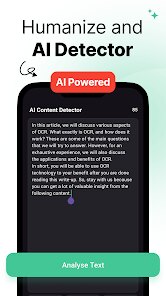
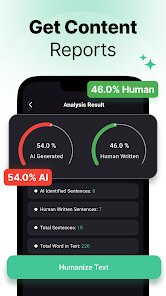
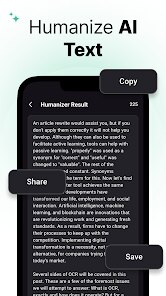
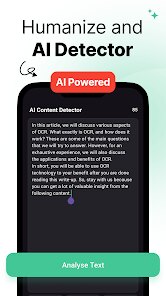
Using the app is pretty straightforward, but there are a few tricks I've picked up along the way. When you first open AI Detector & Humanizer, you'll see a clean interface where you can paste your text. The app then scans it and gives you a percentage score showing how much of it appears to be AI-generated. From there, you tap the “Humanize” button, and it rewrites the content on the spot. One tip I swear by is to always paste shorter chunks of text, like a paragraph at a time, rather than a whole article. I found the app works way better that way and the output feels more natural. Another thing I've noticed is that you can play with the “Creativity” slider — if you slide it higher, the app makes your text more varied and less predictable, which is great for avoiding detection. Don't forget to proofread the final version though, because sometimes the humanizer swaps words in a way that changes the meaning slightly. For best results, I recommend using the app after you've done a first draft yourself, instead of pasting raw AI nonsense. It also helps to read the rewritten text aloud to catch any awkward phrasing. Over time, I've gotten faster at this whole process, and now it only takes me a couple minutes to polish up any AI-written piece.
I've tried a bunch of similar apps on the Google Play Store before settling on this one. There's Undetectable AI and GPTZero, which are both popular for detection, but they don't have the humanizer feature built-in like this app does. Another one I used was Originality.ai, but I found it too expensive for what it offers. What I love about AI Detector & Humanizer is that it combines both detection and rewriting in one app, so I don't have to jump between different tools. It's also much more affordable — the free version alone handles most of my needs. Plus, the developer actually updates it regularly based on user feedback, which is more than I can say for some other apps that feel abandoned. At the end of the day, this app just feels more user-friendly and practical for everyday use. I don't want to spend ten minutes understanding a complicated dashboard; I just want to quickly check my text and fix it. That's why I chose this one over the others.
features
- 📝 Combined detection + humanization: What sets this app apart from competitors like GPTZero is that it doesn't just tell you your text is AI-generated — it actually fixes it. Other apps make you copy the text, go to a rewrite tool, then come back to check again. AI Detector & Humanizer does everything in one go, and the results are surprisingly accurate.
- ⚡ Real-time processing: The app works incredibly fast. I pasted a 500-word article, hit detect, and got results in under 2 seconds. Then the humanize function took maybe 3 more seconds. Compared to some similar apps that take forever to analyze longer texts, this is a huge time-saver for me.
- 🎚️ Creativity slider control: This is a feature I haven't seen in other humanizer apps. You can adjust how much the app rephrases your text. If you set it low, it mostly keeps the original structure. Turn it up, and it completely rewrites sentences. This level of control helps me avoid over-editing my content.
pros
- 🚫 No registration required — Unlike many similar tools on Google Play, you can start using this app right after download without signing up. That's a big plus in my book because I hate creating accounts for every little app I try.
- 💸 Affordable premium option — The premium subscription is way cheaper than Originality.ai's monthly plan, and the free tier already gives you enough functionality for most casual users. I've never felt pressured to upgrade.
- 🔄 Cross-platform sync — When I log into my account, my history syncs between my phone and tablet. Other apps like Undetectable AI don't offer this, so I appreciate being able to pick up where I left off.
cons
- ⏳ Limited word count in free version — The free version only lets you process around 300 words at a time. For longer documents, you have to keep splitting them up, which gets annoying. GPTZero's free tier handles more text without cutting you off.
- 📱 Occasional crash on older devices — The app tends to freeze or crash on my old Samsung Galaxy. I never had this problem with simpler detection-only apps on the same phone. It's not a dealbreaker, but it's worth noting if your device is a bit dated.
- 🖥️ No desktop version — I wish the developers would make a web version so I could use it on my laptop. Right now, I'm stuck using it only on my phone, which isn't ideal when I'm working on big projects. Some competitors already offer browser extensions.
Recommended Apps
![]()
Google One
Google LLC4.1
![]()
Glam AI: Video & Photo Editor
Glam Labs, Inc.4.6
![]()
Pencil Sketch
Dumpling Sandwich Software Inc.4.7![]()
Monster Girl Maker 2
GHOULKISS4.3![]()
Wonder - AI Art Generator
Codeway Dijital3.7![]()
Prediction 2026: Savage Reveal
LKPixel0![]()
AI Photo Editor, Collage-Fotor
AI Art Photo Editor | Everimaging Ltd.4.3![]()
PixVerse: AI Video Generator
PixVerse4.5![]()
Photo Collage Editor
MeiHillMan4.7![]()
Google Maps
Google LLC4.2![]()
Walgreens
Walgreen Co.4.7![]()
QR Code Reader Barcode Scanner
Celebrity App Studio3.9![]()
Serene - Zodiac Compatibility
Hashtag inovation2.8![]()
Venmo
PayPal, Inc.4.2![]()
BESTPLAY Play to earn & donate
Bestplay4.7




























