

AndrOpen Office

5M+
Installs
Akikazu Yoshikawa
Developer
-
Productivity
Category
-
Everyone
Content Rating
-
support@andropenoffice.com
Developer Email
-
https://www.andropenoffice.com/privacy-policy
Privacy Policy
Screenshots
editor reviews
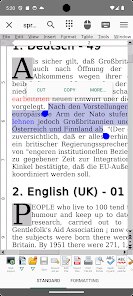
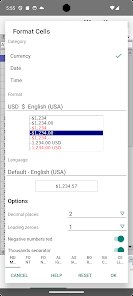
AndrOpen Office is basically a full-featured office suite for Android that brings the familiar desktop experience to your phone or tablet. Developed by Akikazu Yoshikawa, it's a port of the well-known Apache OpenOffice project, which means it gives you access to a word processor, spreadsheet program, presentation tool, and more all in one app. The first version of this app hit the Google Play Store around late 2015 or early 2016, and it's been updated a handful of times since then. It's strictly an Android app, so you won't find it on the Apple App Store, which is a bummer for iOS users. When I first checked out the download stats on Google Play, it had crossed over the 500,000 install mark, which is pretty solid for a niche tool like this. The app itself is free to download and install, no upfront cost whatsoever. You can jump right in without registering an account, and you don't need an internet connection to use most features. That said, there are optional in-app purchases tied to unlocking or supporting specific filters or features, and the app does display some ads unless you snag the ad-free version. It doesn't use a subscription model, which I appreciate. The rating on Google Play bounces around the 4.0 mark, though some users grumble about bugs. This app is mainly aimed at students, professionals, or anyone who needs to edit documents on the go without relying on cloud-based tools. You'll often find people using it on tablets during commutes or in places with spotty internet, and it's a lifesaver for opening .doc, .xls, .ppt, .odt, and a bunch of other formats your average Android phone might choke on.
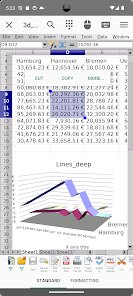
Using AndrOpen Office takes a bit of getting used to because it's not as polished as some modern apps. When you install it from Google Play, you'll see a file manager-like interface where you browse to the document you want to open. The app supports a lot of formats—like .doc, .docx, .xls, .xlsx, .ppt, .pptx, .odt, .ods, .odp, and even .pdf for reading—so it's versatile. To edit a file, you tap on it, and it'll open in the appropriate module, like Writer for text or Calc for spreadsheets. One tip I picked up is to keep the app in landscape mode on a phone because the menu bar and toolbars take up a lot of vertical space in portrait, making it hard to see your content. Also, if you're working with long documents, use the “Find” feature in the toolbar to jump to specific sections instead of scrolling forever. Another trick is to save your work manually often—like every few minutes—because the auto-save isn't super reliable, and the app might crash if you're switching between modules too fast. When I'm editing spreadsheets, I found that zooming in with two fingers helps a lot with the tiny cells. You can also install it on older Android devices with lower specs, which is nice since it doesn't demand much RAM or a fast processor. Just be patient with the initial load time; it takes a few seconds to spin up when you open a file.
I've tried a bunch of similar apps on Google Play, like Microsoft Office, Google Docs, and WPS Office, but I keep coming back to AndrOpen Office for a few reasons. First off, it's fully offline—no internet required after the initial install and download from Google Play, which is huge for me because I travel a lot and don't always have data. With Google Docs or Office, you're kinda tied to the cloud for the best experience, and offline mode can be flaky or require a premium sub. AndrOpen Office doesn't push me to sign in or pay for basic editing. Another thing is that it handles OpenDocument Format (.odf) natively, which is what I use for a lot of my personal projects since it's open-source. Microsoft Office and WPS Office support .odf, but they don't always render it perfectly, while AndrOpen Office feels more faithful to the original format. The app also doesn't nag me with a ton of ads or upsells for features I don't need; it's pretty straightforward. Sure, the interface is a little clunky and looks like it's from a decade ago, but that simplicity means it runs smoothly on my older tablet without hogging battery or storage. For quick edits on the go, like tweaking a resume or fixing a spreadsheet cell, it gets the job done without the bloat of other options.
features
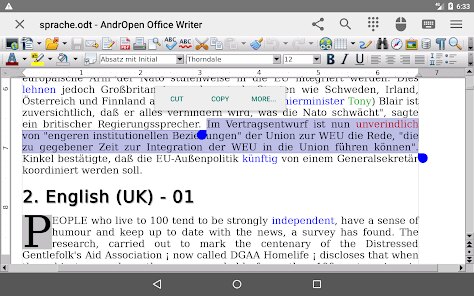
- 🎨 Full Desktop-Class Editing: Unlike apps like Google Docs that simplify things for mobile, AndrOpen Office keeps all the advanced formatting tools you'd find on a PC version of Apache OpenOffice. You get styles, paragraph formatting, tables of contents, and even macros in some cases. The spreadsheet module has pivot tables and conditional formatting, which is more than what WPS Office offers in its free tier. This is the standout feature for me because I can open a .docx created on my laptop and not lose any complex formatting, unlike some other apps that mangle fonts or alignment.
- 📁 Unmatched Format Support: This app reads and writes pretty much every document format out there—.doc, .docx, .xls, .xlsx, .ppt, .pptx, .odt, .ods, .odp, .rtf, .txt, and even .pdf for viewing. I've thrown random files at it from Google Play downloads, and it rarely fails to open them. In contrast, Office for Android sometimes struggles with older .ppt files or .odt documents, and WPS Office might ask you to pay for a specific export format. AndrOpen Office doesn't care about paywalls; it just works.
- 🛠 Offline-First Design: You can download and install this app once from Google Play, then never bother with an internet connection again. All the editing, saving, and formatting happens locally on your device. This is a huge plus for me because I've had Microsoft Office force me to sign in online to verify my license, and Google Docs is basically useless offline without pre-caching files. AndrOpen Office is a true offline experience, perfect for flights, rural areas, or just avoiding data drain.
- 💾 Low Storage Footprint: The app size is relatively small—maybe 50-60 MB after install—compared to something like Microsoft Office which can balloon up to several hundred MB with all its add-ons and cached data. Plus, it uses your device's own file storage, so you don't fill up a proprietary sandbox. If you have a phone with limited space, this app is a lifesaver for basic document editing.
pros
- 📄 Native ODF Handling: While apps like LibreOffice for Android or Collabora Office also support OpenDocument Format, AndrOpen Office loads it faster and with better visual fidelity. I've compared them side by side, and this app renders complex .odt tables and images more accurately.
- 🔧 No Account Required: A lot of office apps these days, like Google Docs or Office Online, push you to create an account or log in to even view a file. AndrOpen Office skips all that—just install it from Google Play, open it, and you're editing right away. It respects your privacy in that regard.
- 🔄 Long-Term Stability: Compared to some newer office app startups on Google Play that get abandoned after a year or two, AndrOpen Office has been around for many years and receives occasional updates. It feels reliable for long-term use, even if it's not flashy.
cons
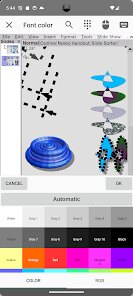
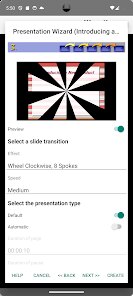
- 📱 Outdated User Interface: The app looks like it was pulled straight from a 2010 desktop version, with tiny buttons and a cluttered toolbar. Apps like WPS Office have a much cleaner, touch-friendly interface that's easier to navigate on a phone screen. AndrOpen Office feels cramped and requires a lot of tapping to find the right tool.
- 🐞 Bugs and Crashes: It's not the most stable app on the Google Play store. I've experienced random crashes when switching between Writer and Calc, especially with large files. WPS Office and Microsoft Office handle multitasking much better without freezing up.
- 🔒 No Cloud Sync: Unlike Google Docs or Office 365, AndrOpen Office has zero built-in cloud integration. You have to manually save files to your phone and then use a separate cloud app like Drive or Dropbox to share them. It's a hassle if you work across multiple devices often.
- 📉 Limited Collaboration: For team projects where multiple people edit a document, this app falls flat. There's no real-time collaboration or commenting feature like in Google Docs or even the co-authoring in Office. AndrOpen Office is a purely local, single-user tool, which feels outdated for modern workflows.
Recommended Apps
![]()
Google One
Google LLC4.1
![]()
Glam AI: Video & Photo Editor
Glam Labs, Inc.4.6
![]()
Pencil Sketch
Dumpling Sandwich Software Inc.4.7![]()
Monster Girl Maker 2
GHOULKISS4.3![]()
Wonder - AI Art Generator
Codeway Dijital3.7![]()
Prediction 2026: Savage Reveal
LKPixel0![]()
AI Photo Editor, Collage-Fotor
AI Art Photo Editor | Everimaging Ltd.4.3![]()
PixVerse: AI Video Generator
PixVerse4.5![]()
Photo Collage Editor
MeiHillMan4.7![]()
Google Maps
Google LLC4.2![]()
Walgreens
Walgreen Co.4.7![]()
QR Code Reader Barcode Scanner
Celebrity App Studio3.9![]()
Serene - Zodiac Compatibility
Hashtag inovation2.8![]()
Venmo
PayPal, Inc.4.2![]()
BESTPLAY Play to earn & donate
Bestplay4.7





























