
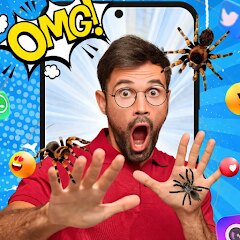
Bug Filter - Bug on Face Prank

Installs
Hades Bit
Developer
-
Entertainment
Category
-
Everyone
Content Rating
-
bbam9427@gmail.com
Developer Email
-
https://sites.google.com/ahvmodnix.com/bugfilter-policy
Privacy Policy
Screenshots
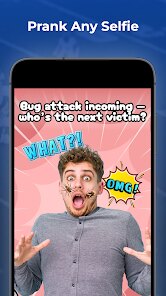
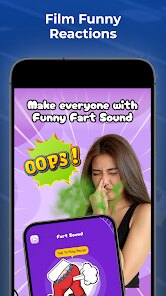
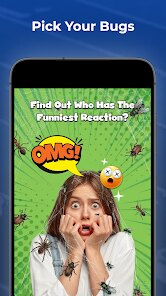
editor reviews
So you want to prank your friends with a realistic-looking bug on their face? That's exactly what Bug Filter - Bug on Face Prank does. This is a fun, lighthearted app from developer Hades Bit that lets you add creepy-crawlies to photos and selfies. It first launched back in 2020 and has been creeping people out on Google Play and the App Store ever since. On Google Play alone, it's been downloaded over 10 million times, which tells you something about how popular this kind of silly gag really is.
The app is completely free to download and install, and you don't even need to register an account to start using it. There are in-app purchases if you want to unlock some extra bug varieties and removal tools, but the basic prank works just fine without spending a cent. You'll see some ads, but they're not too intrusive. The target audience is pretty much anyone who enjoys harmless practical jokes - teenagers, adults, party hosts, or just someone who wants to send a funny photo to their group chat. People use it at parties, during video calls, or when they're scrolling through social media looking for a laugh.
Using Bug Filter is surprisingly straightforward. You just open the app, take a selfie or pick a photo from your gallery, and then choose from a selection of bugs like spiders, cockroaches, or ants. The app uses some simple tracking to stick the bug on the person's face, so it moves slightly with their expression. The best way to use it is to capture a photo when the person isn't looking, apply a bug that looks natural for the lighting, and then show them the edited image. A tip I picked up is to use the smaller bugs like ants for more realistic pranks - a giant spider on someone's forehead is too obvious. Also, make sure the bug placement looks like it's crawling on skin, not just floating in the air. Another trick is to take a candid shot where the person's mouth is open, then place a bug near their lips - it always gets a scream.
I've tried a few similar apps like Face Bug Prank and Bug Me, but honestly, Bug Filter is my go-to. Face Bug Prank has way fewer bug options and the tracking is glitchy, so the bug slides off the face half the time. Bug Me is okay for video calls but doesn't work well with saved photos. I choose Bug Filter because it balances simplicity with good results - the bugs actually look like they belong in the photo, and the app doesn't try to sell you a premium version after every prank. It just works, and that's what matters when you're trying to get a quick laugh.
features
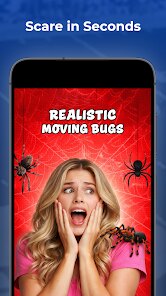
- 🕷️ Realistic bug visuals: The bugs look genuinely photorealistic, with proper shadows and lighting that match the photo. Compared to Fake Bug Cam, which looks like cartoon stickers, Bug Filter's spiders have visible legs and texture that make people actually believe it's on their face.
- 📸 Smart face tracking: This app uses facial recognition to keep the bug in place even if the person tilts their head or changes expression. Bug Me doesn't do this at all - the bug just stays in one spot, making the prank obvious. Here, the bug crawls naturally with movement.
- 🐞 Wide bug selection: You get over 15 different bugs including spiders, ants, cockroaches, and even a tiny lizard. Face Bug Prank only has four, so after one prank you've already shown everything. The variety lets you customize the scare factor.
- ⚡ Quick editing tools: The app includes a zoom and rotate feature, plus an eraser tool to remove the bug if someone freaks out too much. Other apps make you re-edit the whole photo, but here you can fix a bad placement in seconds.
pros
- 😄 Instant laughs: The main strength is how fast you can create a prank - under 10 seconds from opening the app to showing the photo. No other app I've tried is this quick, which matters when you're in the moment.
- 🆓 Free core features: You don't need to pay for Google Play installs to get a good prank. Unlike Prank Editor which locks realistic bugs behind a paywall, Bug Filter gives you most of the good ones for free.
- 🎯 No account hassle: I hate apps that force you to sign up before even seeing what they do. Bug Filter doesn't ask for email or anything - just download, install, and start scaring your friends immediately.
cons
- 📢 Too many ads: After each prank, you get a full-screen ad. Bug Me has fewer interruptions, so this gets annoying if you're making multiple photos in one session.
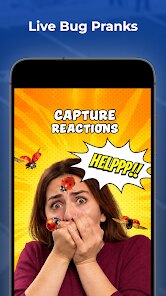
- 🐛 Limited bug movement: The bugs don't actually crawl or animate - they just stick to one spot on the face. Fake Bug Cam has animated bugs that move, which feels more realistic even if the graphics are worse.
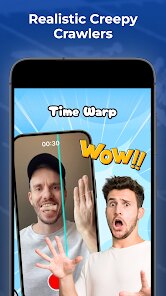
- 📱 No video support: You can only add bugs to still photos, not videos or live video calls. Bug Me works during video chats, which would be a cool feature here but isn't available.
- 🪲 Occasional tracking glitches: On older phones, the bug might jump to the background instead of staying on the face. Face Bug Prank handles this better with simpler tracking that doesn't drop out.
Recommended Apps
![]()
Google One
Google LLC4.1
![]()
Glam AI: Video & Photo Editor
Glam Labs, Inc.4.6
![]()
Pencil Sketch
Dumpling Sandwich Software Inc.4.7![]()
Monster Girl Maker 2
GHOULKISS4.3![]()
Wonder - AI Art Generator
Codeway Dijital3.7![]()
Prediction 2026: Savage Reveal
LKPixel0![]()
AI Photo Editor, Collage-Fotor
AI Art Photo Editor | Everimaging Ltd.4.3![]()
PixVerse: AI Video Generator
PixVerse4.5![]()
Photo Collage Editor
MeiHillMan4.7![]()
Google Maps
Google LLC4.2![]()
Walgreens
Walgreen Co.4.7![]()
QR Code Reader Barcode Scanner
Celebrity App Studio3.9![]()
Serene - Zodiac Compatibility
Hashtag inovation2.8![]()
Venmo
PayPal, Inc.4.2![]()
BESTPLAY Play to earn & donate
Bestplay4.7





























