
Skype for Business for Android

10M+
Installs
Microsoft Corporation
Developer
-
Business
Category
-
Rated for 3+
Content Rating
-
SFBAndroidApp@microsoft.com
Developer Email
-
https://go.microsoft.com/fwlink/?LinkId=510643
Privacy Policy
Screenshots

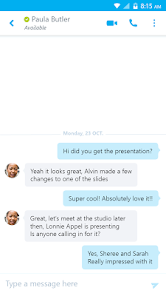
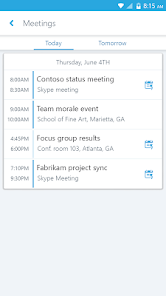

editor reviews
Skype for Business for Android 📱, developed by Microsoft Corporation, is a sophisticated communication tool aimed at enhancing collaborative efforts within the corporate sphere. Integrating the familiar interface of Skype with enhanced business functionality, this app has been crafted to meet the demands of modern enterprises. In comparing it against similar platforms, Skype for Business stands out with its seamless integration with other Microsoft services, comprehensive security measures, and reliable performance. Here's why you might consider making it your go-to communication app and why downloading it could spell success for your business dealings. 🚀
features
- 🔒 Enhanced security: With Skype for Business, your conversations are protected by strong authentication and encryption protocols, ensuring your business discussions remain confidential.
- 🎥 High-definition video conferencing: Enjoy crystal-clear video calls that enable productive and engaging meetings with colleagues and clients around the world.
- 🔄 Screen sharing capabilities: Share presentations, documents, and applications during your call, thereby facilitating better collaboration and understanding.
- 📅 Integrated scheduling: Plan and join meetings directly from your calendar app, thanks to its seamless integration with Office 365.
- 📈 Real-time analytics: Get insights into the usage and performance of your meetings, which can help in optimizing communication strategies.
pros
- 📊 Robust connectivity: With Skype for Business, dropping calls are a rarity, facilitating a reliable platform for enterprise communication.
- 🤝 Collaboration integration: The ability to collaborate with other Office tools like Word, Excel, and PowerPoint enhances productivity and workflow.
- 📲 Multi-platform support: Skype for business runs not just on Android, but on multiple platforms, ensuring your whole team can stay connected regardless of the device.
cons
- 🔄 Requires updates: To keep it running smoothly, frequent updates are necessary which can be seen as a hassle for some users.
- 🌐 Internet dependent: High-quality video calls require a strong internet connection, which can be a limitation in areas with poor connectivity.
Recommended Apps
![]()
Google One
Google LLC4.1
![]()
Glam AI: Video & Photo Editor
Glam Labs, Inc.4.6
![]()
Pencil Sketch
Dumpling Sandwich Software Inc.4.7![]()
Monster Girl Maker 2
GHOULKISS4.3![]()
Wonder - AI Art Generator
Codeway Dijital3.7![]()
Prediction 2026: Savage Reveal
LKPixel0![]()
AI Photo Editor, Collage-Fotor
AI Art Photo Editor | Everimaging Ltd.4.3![]()
PixVerse: AI Video Generator
PixVerse4.5![]()
Photo Collage Editor
MeiHillMan4.7![]()
Google Maps
Google LLC4.2![]()
Walgreens
Walgreen Co.4.7![]()
QR Code Reader Barcode Scanner
Celebrity App Studio3.9![]()
Serene - Zodiac Compatibility
Hashtag inovation2.8![]()
Venmo
PayPal, Inc.4.2![]()
BESTPLAY Play to earn & donate
Bestplay4.7