

PixVerse: AI Video Generator

50M+
Installs
PixVerse
Developer
-
Generative AI
Category
-
Teen
Content Rating
-
support@pixverse.ai
Developer Email
-
https://docs.pixverse.ai/Privacy-Policy-97a21aaf01f646ad968e8f6a0e1a2400
Privacy Policy
Screenshots

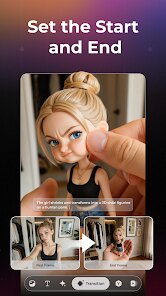
editor reviews
PixVerse is an AI-powered video generation app that lets you turn text prompts, images, or even your own photos into short, stylized video clips. It falls under the creative tools category on Google Play, and it's also available on the Apple App Store. The developer, also called PixVerse, first rolled it out in late 2023, and since then it's gained a solid following among content creators, social media managers, and just curious folks who like playing with new tech. As of now, the app has crossed over 10 million installs on Google Play alone, and it's free to download. You don't strictly need an account to mess around with it, but if you want to save your creations or access higher resolution exports, you'll need to sign in. There are in-app purchases and a subscription tier for more credits, plus ads appear occasionally if you're on the free plan. Its rating sits around 4.3 stars, which feels fair given how fast it generates things.
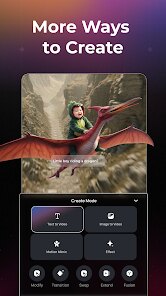
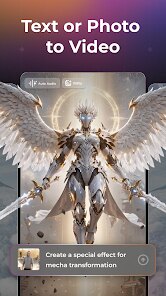
Using PixVerse is pretty straightforward once you get the hang of it. You open the app, pick a creation mode—like text-to-video, image-to-video, or the character animation option—and then type out what you want to see. For example, I typed “a red fox running through a snowy forest at dusk” and got a 4-second clip in under a minute. A tip that really helped me: keep your prompts descriptive but not overly complicated. Instead of saying “a car,” say “a vintage blue muscle car drifting on a wet highway, cinematic lighting.” The AI responds way better to that kind of detail. Another useful trick is using the “extend” feature, which lets you lengthen a clip by 4 seconds at a time. If you're making a looping background for a video, that's a lifesaver. Also, check the community tab for inspiration—people share their prompts there, and you can copy and tweak them for your own use.
I've tried a bunch of AI video apps like Runway and Pika Labs, but PixVerse has become my go-to simply because it's so accessible. Runway feels more professional-grade but has a steeper learning curve and costs more. Pika is fun but sometimes takes forever to render. With PixVerse, I can jump in on my phone during a commute and have a usable clip before I even reach my stop. The free tier is generous enough for casual experimentation, and the output quality is surprisingly good for a mobile app. I honestly don't see myself switching back unless something drastically better comes along.
features
- 🔥 The standout feature for me is the real-time generation speed. While apps like Pika Labs can take 5–10 minutes for a single 4-second clip, PixVerse usually delivers in under 60 seconds on Google Play's version. That's a game-changer when you're brainstorming ideas and want quick visual feedback without waiting forever.
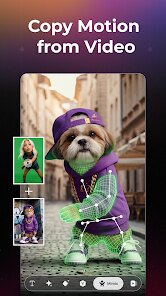
- 🎭 The character-to-video mode is something I haven't seen done this well in similar apps like Runway. You upload a photo of a person or a pet, and it animates them realistically—blinking, moving their head, even doing simple actions. I turned a still photo of my dog into a 6-second clip of him “waving” and the result was both hilarious and eerily lifelike.
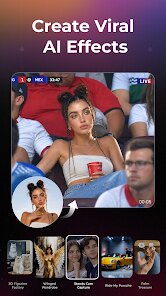
- 🎬 The prompt presets and style filters are a huge time-saver. Instead of typing out every little detail, I can pick a style like “anime,” “cyberpunk,” or “claymation,” and the app adjusts the rendering automatically. This makes it super easy for beginners who don't know how to write cinematic prompts. Pika doesn't offer this kind of built-in guidance, so I found myself getting better results here with less effort.
- 📱 The mobile-first design is honestly the winner. I can shoot a short video, upload it as a starting frame, and ask the AI to continue the action—all within the app. There's no need to jump between desktop tools or transfer files. For someone who mostly works on a phone, that convenience alone beats any desktop-only alternative I've tried.
pros
- 👍 PixVerse is much more forgiving for beginners compared to something like Runway. I don't need to learn the technical jargon—just type a sentence and go.
- 👍 The free tier gives you enough daily credits to actually test things out, unlike Pika where I felt hit with paywalls after two tries.
- 👍 Customer support is responsive in-app. I ran into a rendering error once and got a fix suggestion within a few hours, which is rare for free tools.
- 👍 The community showcase inside the app is fantastic for learning. I've picked up dozens of prompt-writing tricks just by browsing what others made.
cons
- 👎 The resolution cap on the free plan is annoying—1080p is locked behind a subscription, while apps like CapCut's AI tools give you HD exports without charging extra.
- 👎 Ads can interrupt the flow. They only show up between renders, but when you're editing a sequence back-to-back, that little 15-second break gets old fast.
- 👎 The “extend” function sometimes creates slight visual glitches between clips, especially with complex scenes. I've had to redo a few loops because the transition looked jumpy, something I don't experience with Runway's smoother extension tool.
- 👎 There's a limit on how long a single video can be—max 12 seconds with extensions, which is fine for social media but not great if you want longer ambient clips. For that, I still have to go back to desktop software.
Recommended Apps
![]()
Secret Crush Detector App
Hopeitz Software4.8

![]()
Anima
ChristopherMoore03.2![]()
Sam's Club: Shopping & Savings
Sam's Club4.8![]()
FunSwap - AI Face Swap
AI Tech Hub3.8![]()
Uber Eats: Food Delivery
Uber Technologies, Inc.4.6![]()
Air Horn Sounds : Siren Prank
AA Studio Game4.6![]()
Fontmaker - Font Keyboard App
Sociaaal LLC4.3![]()
Daily Horoscope 2024
Code Blenders4.3![]()
Bible Chat - Holy Bible Study
Book Vitals Inc.4.8![]()
Monster High Fangtastic Life
Budge Studios4.1![]()
Personalized Call from Santa (
www.PackageFromSanta.com4.3![]()
Daily Horoscope
KADO Apps4.4![]()
Does He Like Me?
KDR Games4.3![]()
Who Love You? Personality Test
BuzzForFun0![]()
Lisa AI: Cartoonify Avatar Art
Convert Software2.9















Hot Apps
-
![]()
Google Gemini
Google LLC4.6 -
![]()
Pinterest
Pinterest4.5 -
![]()
Afterpay - Buy Now Pay Later
Afterpay3.8 -
![]()
Zoom - One Platform to Connect
zoom.us4.1 -
![]()
PolyBuzz: Chat with AI Friends
CLOUD WHALE INTERACTIVE TECHNOLOGY LLC.3.8 -
![]()
Facebook
Meta Platforms, Inc.4 -
![]()
GroupMe
GroupMe4.5 -
![]()
Chai: Chat AI Platform
Chai Research Corp.4.3 -
![]()
Wise: International Transfers
Wise Payments Ltd.4.7 -
![]()
Google Pay
Google LLC4.4 -
![]()
Signal Private Messenger
Signal Foundation4.5 -
![]()
Snapchat
Snap Inc4.1 -
![]()
Google Chrome: Fast & Secure
Google LLC4.1 -
![]()
Netflix
Netflix, Inc.3.9 -
![]()
WhatsApp Messenger
WhatsApp LLC4.5 -
![]()
Affirm: Buy now, pay over time
Affirm, Inc4.7 -
![]()
ChatOn - AI Chat Bot Assistant
AIBY Inc.4.4 -
![]()
Pandora - Music & Podcasts
Pandora4.1 -
![]()
Cash App
Block, Inc.4.6 -
![]()
Geeni
Merkury Innovations4.6 -
![]()
Hulu: Stream TV shows & movies
Disney4.5 -
![]()
Amazon Fire TV
Amazon Mobile LLC4.1 -
![]()
Microsoft Teams
Microsoft Corporation4.6 -
![]()
PayByPhone
PayByPhone Technologies Inc .4.9 -
![]()
Ticketmaster-Buy, Sell Tickets
Ticketmaster L.L.C.3 -
![]()
GasBuddy: Find & Pay for Gas
PDI Software, Inc.3.1 -
![]()
Snapmint: Buy Now, Pay in EMIs
Snapmint4.5 -
![]()
Duolingo: Language & Chess
Duolingo4.7 -
![]()
Venmo
PayPal, Inc.4.2 -
![]()
ChatBot - AI Chat
X PhotoKit4.5











































