

Anime Avatar: Couple Maker

1M+
Installs
MegaMod Studio
Developer
-
Art & Design
Category
-
Everyone
Content Rating
-
ceo@andesgroup.app
Developer Email
-
https://sites.google.com/andesgroup.app/anime-avatar-couple-maker/home
Privacy Policy
Screenshots

editor reviews
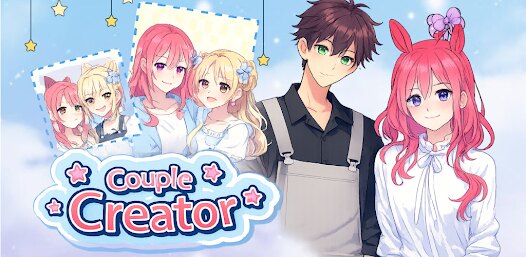
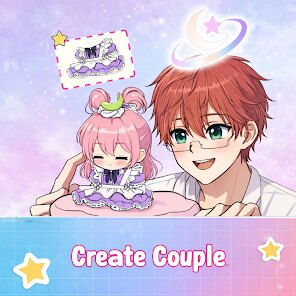
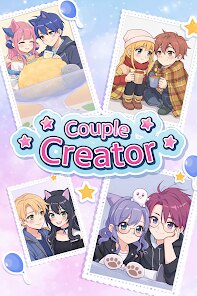
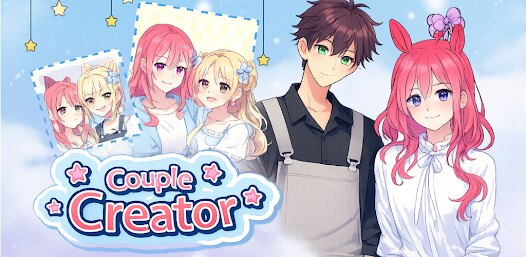
Anime Avatar: Couple Maker, developed by MegaMod Studio, is a fun customization app for anime fans. It lets you build your own anime-style avatar and a matching couple avatar. The app was released in 2021 and is available to download on Google Play. It's free to install, meaning you don't pay anything upfront, but the app does contain ads and offers in-app purchases. You don't need to register an account to use it, just open it and start creating. On the Google Play Store, this app has between one and five million installs, and it holds a rating of 4.0 stars. People use it for things like making profile pictures for social media, character references for fan art, or just for fun. The app is mainly for teens and young adults who enjoy anime and want a simple tool for personalizing character images.
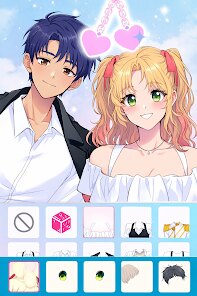
Using Anime Avatar: Couple Maker is straightforward. When you open the app, you pick if you want to create a single avatar or a couple avatar. Then, you scroll through categories like hairstyles, eye shapes, clothes, and backgrounds. Tapping on each item changes your avatar instantly. A tip to make better combinations is to stick to a color scheme; for example, if your character has pink hair, choose clothes that have pink or neutral tones. Another trick is to use the ‘random' button sometimes. It generates a look you might not have thought of, which you can then tweak. The app saves your creations locally, so you can come back and edit them later without losing progress. If you want to remove ads, there is a small in-app purchase for that. For sharing, you can take a screenshot within the app or save the image directly to your phone. The controls are all on one screen, making navigation simple even if you're new to avatar makers.
I chose Anime Avatar: Couple Maker over similar apps, like Avatar Maker or Charat Genesis, mainly because of its couple-focused feature. Many other character builders only let you do one person at a time. I needed to make matching profile pictures for me and my friend, and this app handled that without any extra steps. While Avatar Maker gives you more hairstyle options, it feels cluttered. Anime Avatar: Couple Maker keeps things clean, and the styles are cute. I also liked that the app works offline after the initial download. Other similar apps usually require an internet connection to load assets. For a free download on Google Play, it does its job. The interface isn't perfect, but for casual use, it's fast and easy. If you just want to make simple, cute anime faces quickly, this app is a good choice, especially if the couple option matters to you. I've used it a few times now, and it never crashes or freezes, which is important for a free app.
features
- 🎨 Couple Mode: This is the standout feature. Unlike Picrew or Avatar Maker, you can design two avatars side-by-side with matching outfits and hairstyles. The app syncs colors between them, so if you pick a blue hat for one, the other gets matching blue accessories. It's perfect for social media duo pictures.
- 🎨 One-Handed Operation: The whole design lives on a single screen. You scroll categories vertically and pick choices horizontally. You never need to open separate menus or switch tabs. Other apps like Charat Origin require multiple taps, but here you just swipe and tap, which makes it faster to build a character.
- 🎨 Offline Saving: After the first download from Google Play, all assets load locally. You can edit and save avatars without Wi-Fi or data. This is rare among similar apps. Most require server access for backgrounds or items, but Anime Avatar: Couple Maker lets you create anywhere, like on a train or in a park.
- 🎨 Background Variety: The app includes about 30 preset backgrounds, from cherry blossom parks to night skies. You also get simple solid colors. While it's not as many as in Zepeto, it's enough for profile customization. You can also make the background transparent for importing into other photo editors.
pros
- 💡 Beginner-Friendly: The app is very simple. You don't need to learn layers or positioning like in more complex tools such as Clip Studio Paint. My little sister used it without any instructions.
- 💡 Free Install with No Paywall: You can download the app from Google Play and access all avatar parts without paying. In Picrew, many good items are locked behind paid versions, but here everything is open from the start, even if you see ads sometimes.
- 💡 Fast Load Speed: The app opens in under two seconds on my old phone. Other avatar apps like Gacha Life take longer to start. This app is light and doesn't lag when switching between hairstyles.
cons
- ⚠️ Limited Hairstyle Library: There are only around 30 hair options. Apps like Avatar Maker have over 100. For users wanting very specific anime hair, like curly or spiky, this app falls short. It focuses on standard straight and wavy styles.
- ⚠️ No Undo Button: If you accidentally change an eyes type, you can't just press back to undo. You have to scroll to find the one you had before. That small frustration slows down the creative flow compared to Charat Genesis, which has a history feature.
- ⚠️ Ad Frequency: You get a video ad every time you finish and save an avatar. While this is acceptable for a free app, it's more frequent than in similar tools like Zepeto, which runs an ad only every fifth save.
- ⚠️ No Male Body Separation: The couple option only gives one male and one female body type. You cannot change the waist size or height. For a more flexible app, you'd need a different one, like Picrew, where you pick from various base templates.
Recommended Apps
![]()
Google One
Google LLC4.1
![]()
Glam AI: Video & Photo Editor
Glam Labs, Inc.4.6
![]()
Pencil Sketch
Dumpling Sandwich Software Inc.4.7![]()
Monster Girl Maker 2
GHOULKISS4.3![]()
Wonder - AI Art Generator
Codeway Dijital3.7![]()
Prediction 2026: Savage Reveal
LKPixel0![]()
AI Photo Editor, Collage-Fotor
AI Art Photo Editor | Everimaging Ltd.4.3![]()
PixVerse: AI Video Generator
PixVerse4.5![]()
Photo Collage Editor
MeiHillMan4.7![]()
Google Maps
Google LLC4.2![]()
Walgreens
Walgreen Co.4.7![]()
QR Code Reader Barcode Scanner
Celebrity App Studio3.9![]()
Serene - Zodiac Compatibility
Hashtag inovation2.8![]()
Venmo
PayPal, Inc.4.2![]()
BESTPLAY Play to earn & donate
Bestplay4.7





























