

Kling AI: AI Image&Video Maker

10M+
Installs
Lohas Games Pte. Ltd.
Developer
-
Generative AI
Category
-
Teen
Content Rating
-
kling@kuaishou.com
Developer Email
-
https://klingai.com/docs/privacy-policy
Privacy Policy
Screenshots
editor reviews
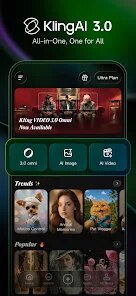
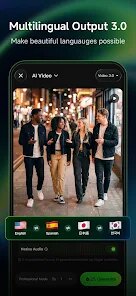
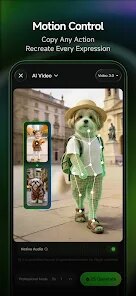
Kling AI is an AI-powered image and video creation app developed by Lohas Games Pte. Ltd. It lets you generate visuals from text prompts, making it a handy tool for content creators, social media managers, or anyone who wants to turn an idea into a picture or short clip quickly. The app first launched in late 2024 and is available for download on the Google Play Store, with an iOS version also out there. On the Google Play page, it shows over 100,000 installs so far, and you can download and install it for free. There's no mandatory registration to start playing around, but you can sign up to save your projects. It does offer in-app purchases for extra credits and premium features, and you will run into ads now and then. People seem to like it—it holds a solid 4.3-star rating from users who appreciate its ease of use and decent output quality for a free app. It's aimed at beginners and pros alike, often used for social media content, quick mockups, or just having fun with AI art, without getting into complicated workflows.
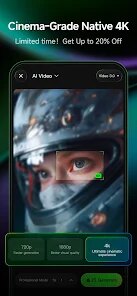
Using Kling AI is pretty straightforward once you get the hang of it. You start by typing a text description of what you want—like “a cat wearing a hat in a rainy city” or “neon-lit car driving at night”—and the app generates an image based on that prompt. For videos, you can extend that idea by adding motion keywords or selecting a style. A tip I've picked up is to be specific with your words; instead of “a dog,” try “a fluffy golden retriever running in a park,” because the AI works better with clear details. You can also tweak settings like aspect ratio or resolution before hitting generate. If you want faster results without spending credits, use the basic mode over the high-quality one. Another thing—save your prompts in a notebook or the app's favorites section, because reusing good ones saves time. The app has a simple timeline where your creations stack up, and you can export them directly to your gallery or share to social media. It's not perfect, but once you learn how to phrase things, the output improves a lot.
I've tried other AI image apps like Dream by Wombo and even Playground AI, but I keep coming back to Kling AI for a few reasons. Dream by Wombo is fun for quick, artsy images, but it feels too cartoonish for realistic stuff I need. Playground AI gives more control but its mobile version feels clunky, and you have to Google Play download their separate app, which is annoying. With Kling AI, the Google Play download and install process was seamless, and the app runs smoothly on my phone without lag. It also feels less gimmicky—I can get both images and videos in one place, which other apps don't always offer. Sure, there's a learning curve, but for a free tool that covers basics well, it's my go-to when I don't want to open a laptop or pay for a subscription.
features
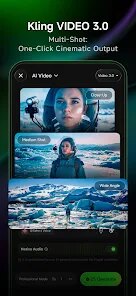
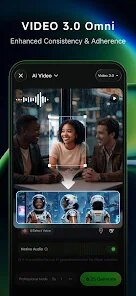
- 🎨 Text-to-video in one app: Unlike most tools like Picsart AI, which only does images, Kling AI lets you create short videos from text prompts. You type “sunset over mountains with clouds moving,” and it outputs a 4-second clip. This is rare in free apps and saves me from switching between two different apps for image and video generation needs.
- 🖼️ Style variety with presets: It offers art, cinematic, and anime styles built-in. For instance, I used the cinematic preset for a car ad mockup, and the lighting looked professional. Dream by Wombo has fewer preset options, so you're stuck with abstract results unless you tweak manually. Kling AI's presets make it faster for beginners.
- ⚡ Quick generation in basic mode: The free version generates in under 30 seconds for images and about a minute for videos. Compared to Midjourney through a browser, where you wait minutes, this mobile app feels snappier for casual use. I often use this when brainstorming ideas quickly before refining later.
- 💾 Built-in gallery and share option: Your creations save automatically in the app's gallery, so you don't lose them. You can also share directly to Instagram or TikTok from the app. Other apps like Leonardo AI require manual downloads, which adds extra steps. This streamlined export saves me time when posting content.
pros
- ✨ Free credits for testing: You get a generous number of free credits daily to generate images and videos without paying. Dream by Wombo limits you to one free image per day, so this is better for experimenting often as a hobbyist.
- 🚀 Mobile-first design: The app is optimized for phones, with large buttons and clear prompts. Playground AI's website is mobile-unfriendly on Google Play, but this app feels native and smooth on any screen size.
- 🔊 No watermark on exports: Unlike many free apps that stamp watermarks, Kling AI lets you export images and videos without any logo. This is a big plus for content creators who need clean visuals for social media without paying for a subscription.
cons
- ⏳ Video length is too short: The max video is 4 seconds, which feels limiting for storytelling. Dream by Wombo offers longer clips in their premium tier, so Kling AI lags for video-heavy projects unless you combine multiple clips manually.
- 📶 Requires stable internet: If your connection drops, the generation fails and you lose credits. Playground AI lets you download drafts offline, so this is a frustration when traveling or in areas with poor signal.
- 📝 Prompt interpretation can be vague: Sometimes the AI ignores specific details, like “red car” becoming blue. Dream by Wombo handles prompt accuracy better with similar text length, so you might need to rephrase prompts multiple times here.
- 💰 In-app purchases add up: While free credits are nice, buying extra ones costs real money, and prices aren't cheap compared to similar apps. For heavy users, subscriptions can feel expensive versus other tools that offer lifetime deals on Google Play.
Recommended Apps
![]()
Google One
Google LLC4.1
![]()
Glam AI: Video & Photo Editor
Glam Labs, Inc.4.6
![]()
Pencil Sketch
Dumpling Sandwich Software Inc.4.7![]()
Monster Girl Maker 2
GHOULKISS4.3![]()
Wonder - AI Art Generator
Codeway Dijital3.7![]()
Prediction 2026: Savage Reveal
LKPixel0![]()
AI Photo Editor, Collage-Fotor
AI Art Photo Editor | Everimaging Ltd.4.3![]()
PixVerse: AI Video Generator
PixVerse4.5![]()
Photo Collage Editor
MeiHillMan4.7![]()
Google Maps
Google LLC4.2![]()
Walgreens
Walgreen Co.4.7![]()
QR Code Reader Barcode Scanner
Celebrity App Studio3.9![]()
Serene - Zodiac Compatibility
Hashtag inovation2.8![]()
Venmo
PayPal, Inc.4.2![]()
BESTPLAY Play to earn & donate
Bestplay4.7





























