

Suno - AI Music & Songs Maker

10M+
Installs
Suno, Inc
Developer
-
Generative AI
Category
-
Teen
Content Rating
-
support@suno.com
Developer Email
-
https://suno.com/privacy
Privacy Policy
Screenshots

editor reviews
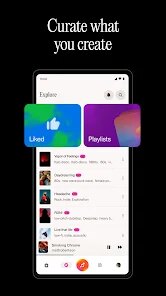
Suno is an AI music and song maker developed by Suno, Inc. It's basically this app that lets you create original music tracks just by typing in a description or some lyrics. I first heard about it when it launched in late 2023, and it's been getting a lot of attention since then. You can download it for free from the Google Play store, and it's also available on the App Store for iOS users. As of now, the app has been installed over 10 million times on Google Play alone, which shows how popular it's become. It's free to download and use at the basic level, but if you want more features like longer tracks or higher quality audio, there are in-app purchases and subscription options. You do need to create an account to use it, but that's pretty standard for these kinds of apps. There are ads in the free version, but they're not too intrusive. The app has a solid rating on Google Play, usually around 4.5 stars, which tells me most people are happy with what it does.
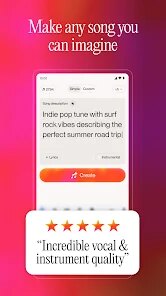
Using Suno is pretty straightforward. Once you open the app, you can start creating a song by either typing a prompt describing the style or mood you want, or you can input your own lyrics. The AI then generates a complete track with vocals and instrumentation based on your input. A tip I picked up from using it for a while is to be really specific with your prompts. Instead of just saying "rock song," try something like "upbeat indie rock with a catchy chorus and electric guitar solo." The more detail you give, the better the result usually turns out. Also, if you're writing your own lyrics, make sure they fit a song structure with verses and a chorus, because the AI seems to work better with that. Another tip is to experiment with the genre selection feature. Sometimes you'll get a surprising mix that sounds really cool, like a jazz version of a pop song.
There are a few other AI music apps out there, like Soundraw and AIVA, but I keep coming back to Suno. Honestly, I think Suno just feels more accessible and fun to use. Soundraw is great for generating instrumental tracks, but it doesn't do vocals as well as Suno does. AIVA is more focused on classical and cinematic music, which is cool if that's your thing, but it feels a bit too serious for me. With Suno, I can create a full song with vocals in minutes, and the quality is surprisingly good for an AI. It's not perfect, but for someone like me who isn't a musician but loves messing around with music, Suno is the most enjoyable option. I've used it to make birthday songs for friends and even just for fun when I'm bored. It's definitely my go-to app for this kind of thing.
features
- 🎵 Seamless Text-to-Music Generation: Suno's core feature is how smoothly it turns your text prompts into full songs. Unlike Soundraw, which mostly gives you instrumental loops, Suno generates vocals, lyrics, and music all in one go. You just type what you want, and the app handles the rest. It's incredible to hear a song that matches your description so closely.
- 🎤 Custom Lyric Input: Another feature that stands out is the ability to write your own lyrics. In apps like AIVA, you can't really do this; it's purely instrumental. With Suno, I can write a silly poem about my dog, and the app will turn it into a reggae song with a beat. This personal touch makes the output feel more like mine.
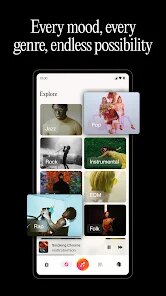
- 🎶 Genre and Style Variety: Suno supports a wide range of genres, from hip-hop to country to electronic. Soundraw has a decent selection too, but Suno seems to nail the specific vibe more often. I can ask for a "lo-fi hip hop beat with rain sounds," and it usually delivers something that actually sounds good, not just random noise.
- 🔄 Quick Iteration and Remixing: If the first version of a song isn't quite right, Suno lets you regenerate or tweak it easily. You can change the prompt slightly or adjust the genre and try again. This is way faster than using a tool like AIVA, where the generation process feels more rigid and less forgiving.
pros
- ✨ Ease of Use: The biggest strength is how easy it is. I don't need any music theory or production skills. On Soundraw, I sometimes get lost in the layers, but Suno is just type and create.
- ✨ Fun Factor: It's genuinely fun to play around with. Creating a song about your morning coffee or a weird dream is entertaining. Other apps feel more like tools, but Suno feels like a toy.
- ✨ Vocal Quality: For an AI, the vocals are surprisingly good and clear. Soundraw's vocal options feel more robotic in comparison.
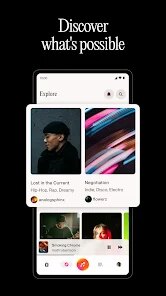
- ✨ Community and Sharing: Suno has a built-in community where you can share your creations and hear what others have made. It adds a social element that's missing from AIVA.
cons
- 🛑 Inconsistent Output Quality: The biggest weakness is that results can be hit or miss. Sometimes the vocal is muffled or the beat doesn't match the mood I wanted. Soundraw is more consistent with instrumental quality.
- 🛑 Limited Free Usage: The free tier only gives you a few generations per day. If you're really into it, you'll quickly want to subscribe. AIVA gives you a bit more room for free experimentation.
- 🛑 No Audio Editing Tools: Once a song is generated, you can't really edit it within the app. You can't adjust individual instruments or vocals. Soundraw has basic editing sliders for energy and complexity, which Suno lacks.
- 🛑 Lyric Control is Imperfect: Even when I write my own lyrics, the AI sometimes changes the words or sings them in a weird way. It's not always faithful to my input, which can be frustrating.
Recommended Apps
![]()
Google One
Google LLC4.1
![]()
Glam AI: Video & Photo Editor
Glam Labs, Inc.4.6
![]()
Pencil Sketch
Dumpling Sandwich Software Inc.4.7![]()
Monster Girl Maker 2
GHOULKISS4.3![]()
Wonder - AI Art Generator
Codeway Dijital3.7![]()
Prediction 2026: Savage Reveal
LKPixel0![]()
AI Photo Editor, Collage-Fotor
AI Art Photo Editor | Everimaging Ltd.4.3![]()
PixVerse: AI Video Generator
PixVerse4.5![]()
Photo Collage Editor
MeiHillMan4.7![]()
Google Maps
Google LLC4.2![]()
Walgreens
Walgreen Co.4.7![]()
QR Code Reader Barcode Scanner
Celebrity App Studio3.9![]()
Serene - Zodiac Compatibility
Hashtag inovation2.8![]()
Venmo
PayPal, Inc.4.2![]()
BESTPLAY Play to earn & donate
Bestplay4.7





























