Impulse - Brain Training Games

10M+
Installs
GMRD Apps Limited
Developer
-
Health & Fitness
Category
-
Everyone
Content Rating
-
support@brainimpulse.me
Developer Email
-
https://brainimpulse.me/app/privacy_policy.html
Privacy Policy
Screenshots
editor reviews
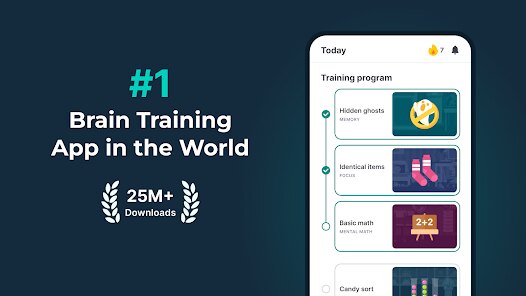
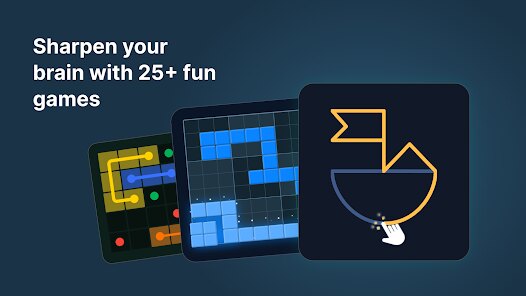
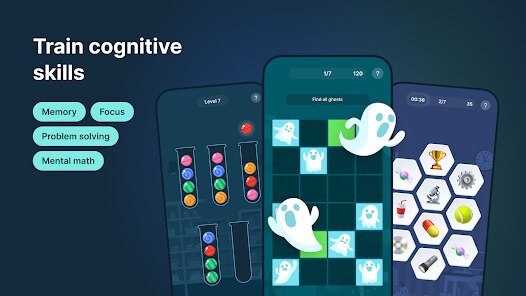
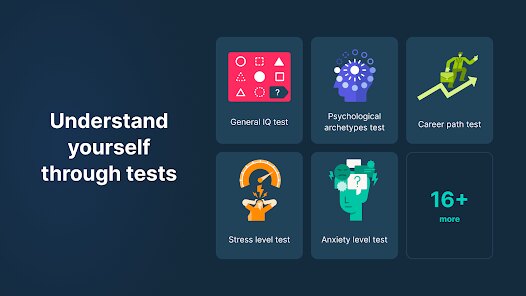
Impulse - Brain Training Games is a mobile app created by GMRD Apps Limited that focuses on cognitive exercises designed to sharpen memory, attention, and problem-solving skills. It first launched on the Google Play Store and the Apple App Store back in 2022, and since then, it has quietly built a solid user base. The app is free to download, though you do need to register an account to track your progress across sessions. Once you install the app, you will find that it offers a handful of daily challenges without demanding a subscription upfront, but there are in-app purchases available if you want to unlock extra game packs or remove the occasional ad that pops up between rounds. On Google Play, Impulse has racked up over a million installs and holds a rating hovering around 4.3 stars, which suggests most people find it engaging enough to stick with. The target audience really seems to be anyone from busy professionals looking for a quick mental warm-up to older adults wanting to keep their minds active, and the common use scenario is often during a commute or a short break. It is not the most feature-rich brain trainer out there, but for a casual user like me, it does the job without feeling overwhelming.
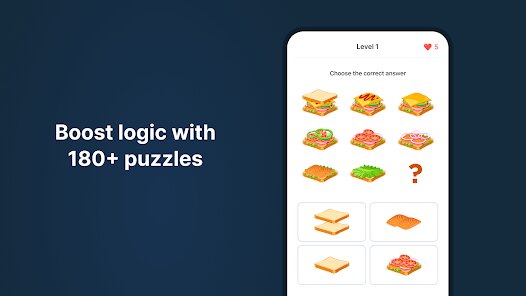
When you actually use the app, the flow is pretty straightforward. After opening Impulse, you are greeted with a clean home screen that shows your daily streak and a few recommended games. You can just tap a game to start, and each one lasts about 60 seconds, so it is easy to squeeze in a session. One tip I picked up is to focus on the games that highlight your weak spots, which the app flags in your performance graph after a few rounds. For example, if you are struggling with the memory cards section, repeating that specific game a few times in a row seems to help improve your score faster. Another trick is to use the reminder feature, which you can set through the settings menu to notify you at the same time every day. This keeps your streak alive and ensures you do not miss a day, since consistency really matters for brain training. I also found that turning off the sound effects in the audio options makes the experience less distracting, especially if you are playing in a noisy place like a bus or a cafe.
I have tried a few other brain training apps like Lumosity and Peak before settling on Impulse, and honestly, the main reason I stuck with this one is that it feels less pushy about selling me a subscription. Lumosity has a decent selection of games, but after the free trial, it practically locks everything behind a paywall, which gets annoying. Peak is similar in that regard, and their interface feels a bit cluttered to me. With Impulse, the free tier actually gives you enough variety to keep things interesting for weeks without spending a dime. The games are simpler in design, but that is kind of a plus for me because I do not need flashy graphics to stay engaged. I also noticed that Impulse loads faster on my older phone compared to the others, which makes a difference when I am just trying to kill five minutes. If you are looking for a no-fuss brain trainer that respects your wallet, this app is a solid pick.
features
- 🧠 Tailored Daily Workout: Unlike Lumosity, which throws a random mix of games at you, Impulse curates a set of five games each day based on your past performance. The app tracks which cognitive areas you are lagging in, like memory or logic, and adjusts the lineup accordingly. This makes each session feel purposeful rather than just spinning a wheel of random challenges.
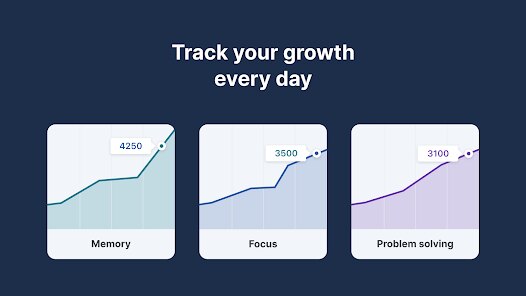
- 📊 Visual Progress Charts: The app includes a simple but clear dashboard that shows how your scores have changed over the past week or month. For instance, I can see my reaction time gradually dropping, which is motivating. Peak has a similar feature, but Impulse presents it in a more straightforward line graph without extra fluff.
- 🕒 Short Session Design: Each game lasts exactly 60 seconds, which is shorter than the typical rounds in Elevate or other apps. This makes it easy to complete a full workout in under five minutes, so I can squeeze it in while waiting for my coffee to brew without feeling rushed.
pros
- ✅ Free Content Value: Most games are accessible without paying, unlike Lumosity where free users hit a wall quickly, so I get a solid experience without spending money.
- ✅ Minimal Ads: Ads only pop up between game rounds, not during them, which is less intrusive than Peak where ads sometimes interrupt gameplay mid-round.
- ✅ Lightweight Install: The app takes up under 50MB on Google Play, so it does not hog storage on my phone compared to other brain trainers that bloat with extra features I never use.
cons
- ❌ Limited Game Variety: There are only about 15 different games in total, while Lumosity offers over 50, so the lack of variety makes it feel repetitive after a month of daily use.
- ❌ No Social Features: Unlike Peak, which has leaderboards and friend challenges, Impulse does not let you compare scores with others, so the experience feels isolated if you enjoy a bit of competition.
- ❌ Weak Offline Mode: The app requires an internet connection to load new daily workouts, which is a pain when I am on a train without signal, whereas Elevate lets you download sessions in advance for offline play.
Recommended Apps
![]()
Google One
Google LLC4.1
![]()
Glam AI: Video & Photo Editor
Glam Labs, Inc.4.6
![]()
Pencil Sketch
Dumpling Sandwich Software Inc.4.7![]()
Monster Girl Maker 2
GHOULKISS4.3![]()
Wonder - AI Art Generator
Codeway Dijital3.7![]()
Prediction 2026: Savage Reveal
LKPixel0![]()
AI Photo Editor, Collage-Fotor
AI Art Photo Editor | Everimaging Ltd.4.3![]()
PixVerse: AI Video Generator
PixVerse4.5![]()
Photo Collage Editor
MeiHillMan4.7![]()
Google Maps
Google LLC4.2![]()
Walgreens
Walgreen Co.4.7![]()
QR Code Reader Barcode Scanner
Celebrity App Studio3.9![]()
Serene - Zodiac Compatibility
Hashtag inovation2.8![]()
Venmo
PayPal, Inc.4.2![]()
BESTPLAY Play to earn & donate
Bestplay4.7