Word Bridges Logic Connections

500K+
Installs
HYPERCELL
Developer
-
Casual
Category
-
Everyone
Content Rating
-
support@hypercell-publishing.com
Developer Email
-
https://craftplay.studio/privacy-policy
Privacy Policy
Screenshots
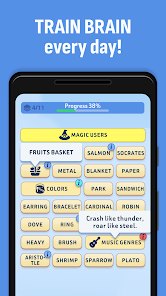
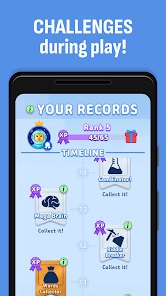
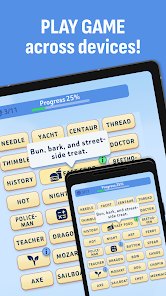
editor reviews
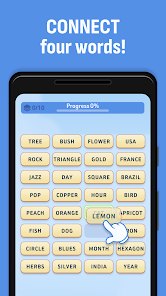
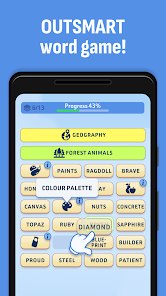
Word Bridges Logic Connections is a word puzzle game that sits somewhere between a crossword helper and a brain training app. I first found it on Google Play while looking for something lighter than the heavy strategy games I usually play, and I ended up keeping it installed for the small gaps in my day. The idea is simple enough that anyone can pick it up in under a minute. You get a grid of letters and a set of empty slots, and you have to figure out which words fit where. It sounds like a dozen other word games, but the way it connects clues and letter tiles gives it a slightly different feel. Since it's a HYPERCELL release, you can expect the same clean, colorful presentation that shows up in a lot of their mobile titles. I don't have exact install numbers in front of me, but it's clearly built for casual players who want a quick mental workout rather than a long session.
The core loop is where most of my time went. You tap letters to build words, and each correct answer fills in a bridge between two parts of the puzzle. Early levels are gentle. You might see three or four short words and the game basically hands you the first one to get you moving. Later on, the connections get trickier because some answers overlap, and one wrong guess can make the whole grid feel stuck. That's the part I actually enjoyed. It's not just about knowing a word. You have to think about how words share letters and how a clue might point to a phrase instead of a single term. The controls are as simple as tapping and dragging. No complicated menus, no stamina system that blocks you every few minutes. I did notice some ads between levels, and there are optional hints if you get stuck, which usually means watching a short video. The pacing is good for short breaks, though longer sessions can start to feel repetitive once you notice the same puzzle patterns showing up.
Compared with games like Wordscapes or Crossword Jam, Word Bridges leans more into logic than pure vocabulary. Wordscapes often feels like a relaxing letter hunt, while this one asks you to map out connections before you start tapping. That makes it feel closer to a light deduction game. The art style is cleaner than some competitors, and the bridge theme gives the grid a bit of personality instead of just floating letters on a blue background. I'd say players who get bored with plain anagram games may like this more because there's a small planning layer. On the other hand, if you want a pure word finder with no extra thinking, the connection mechanic might slow you down. It's free to download on Android through Google Play, and you can install it without paying upfront.
features
- Bridge building 🧩 Each solved word connects two sections of the puzzle, so you are not just filling blanks. You are completing a route, which makes every answer feel like part of a bigger picture.
- Clue based logic 🔍 The game mixes word knowledge with simple deduction. Some clues are direct definitions, while others ask you to spot how two answers share letters, similar to how Crossword Jam hides overlaps.
- Hint system 💡 When a level stalls, you can use hints or watch a short ad for extra help. It keeps the game moving without forcing you to pay, though heavy hint use can make puzzles feel less satisfying.
- Short session design ⏱️ Levels are built for quick play. Most take a few minutes, which makes Word Bridges easy to open on a bus ride or between tasks. The flip side is that longer play sessions can blur together.
pros
- The connection mechanic adds a small planning layer that plain word games often lack.
- Controls are simple and responsive, so you can focus on the puzzle instead of fighting the interface.
- The clean visual style and soft sound effects make it easy to play without feeling overwhelmed.
- Free access on Android means you can try it without commitment, and the difficulty curve is friendly for newcomers.
cons
- Ads appear between levels, and while they are not constant, they can interrupt the flow during a good streak.
- Some later puzzles lean on repeated clue styles, which makes the challenge feel less fresh after a while.
- The hint system can become a crutch if you rely on it too often, and watching ads for hints gets old quickly.
- Performance is fine on most devices, but older phones may see slight delays when the grid gets busy with animations.
Recommended Apps
![]()
Fridge Horror Game
Honor apps4.5

![]()
3D Bolt Master™
Joymaster Puzzle Game Studio4.9![]()
aquapark.io
VOODOO4.2![]()
Garten of Banban 4
Euphoric Brothers Games4.3![]()
Last Z: Survival Shooter
Florere Game4.6![]()
AnimA ARPG (Action RPG)
Redeev4.4![]()
QuizUp
Dragon's Games1.8![]()
PAW Patrol Rescue World
Budge Studios4.2![]()
Halloween Chronicles 2 f2p
Do Games Limited4.6![]()
Arrow Puzzle: Tap Puzzle Games
Easybrain4.8![]()
Prediction Filter Challenge
GjangHa2.5![]()
Obby Survival Parkour Game
PLAYTRICKS STUDIO LLC0![]()
Mafia City RP:Grand Open World
Universe Game Labs4.6![]()
Big Walk
House House0![]()
TROLLHEIM: GNOMES
Trollheim0











Hot Apps
-
![]()
Google Gemini
Google LLC4.6 -
![]()
Pinterest
Pinterest4.5 -
![]()
Afterpay - Buy Now Pay Later
Afterpay3.8 -
![]()
Zoom - One Platform to Connect
zoom.us4.1 -
![]()
PolyBuzz: Chat with AI Friends
CLOUD WHALE INTERACTIVE TECHNOLOGY LLC.3.8 -
![]()
Facebook
Meta Platforms, Inc.4 -
![]()
GroupMe
GroupMe4.5 -
![]()
Chai: Chat AI Platform
Chai Research Corp.4.3 -
![]()
Wise: International Transfers
Wise Payments Ltd.4.7 -
![]()
Google Pay
Google LLC4.4 -
![]()
Signal Private Messenger
Signal Foundation4.5 -
![]()
Snapchat
Snap Inc4.1 -
![]()
Google Chrome: Fast & Secure
Google LLC4.1 -
![]()
Netflix
Netflix, Inc.3.9 -
![]()
WhatsApp Messenger
WhatsApp LLC4.5 -
![]()
Affirm: Buy now, pay over time
Affirm, Inc4.7 -
![]()
ChatOn - AI Chat Bot Assistant
AIBY Inc.4.4 -
![]()
Pandora - Music & Podcasts
Pandora4.1 -
![]()
Cash App
Block, Inc.4.6 -
![]()
Geeni
Merkury Innovations4.6 -
![]()
Hulu: Stream TV shows & movies
Disney4.5 -
![]()
Amazon Fire TV
Amazon Mobile LLC4.1 -
![]()
Microsoft Teams
Microsoft Corporation4.6 -
![]()
PayByPhone
PayByPhone Technologies Inc .4.9 -
![]()
Ticketmaster-Buy, Sell Tickets
Ticketmaster L.L.C.3 -
![]()
GasBuddy: Find & Pay for Gas
PDI Software, Inc.3.1 -
![]()
Snapmint: Buy Now, Pay in EMIs
Snapmint4.5 -
![]()
Duolingo: Language & Chess
Duolingo4.7 -
![]()
Venmo
PayPal, Inc.4.2 -
![]()
ChatBot - AI Chat
X PhotoKit4.5