

Peacock TV: Stream TV & Movies

10,000,000+
Installs
Peacock TV LLC
Developer
-
Entertainment
Category
-
Rated for 12+
Content Rating
-
support@help.peacocktv.com
Developer Email
-
https://www.peacocktv.com/privacy
Privacy Policy
Screenshots
editor reviews
Peacock TV: Stream TV & Movies is a streaming service from Peacock TV LLC, the media arm of NBCUniversal. It was launched nationwide in July 2020, offering a massive library of TV shows, movies, live sports, and news. You can download the app directly from the Google Play Store for Android devices or the Apple App Store for iOS. The app is free to install, and it has been downloaded over 50 million times on Google Play alone. Registration is required to use it, but you can sign up with just an email or link a Google or Apple account. The service operates on a freemium model, meaning there is a free tier supported by ads, but you can also choose from paid tiers like Peacock Premium or Premium Plus to unlock more content and reduce ads. This app is perfect for anyone looking for a mix of classic NBC shows like The Office, live events like Premier League soccer, and original series. It's commonly used for casual watching at home, catching up on late-night TV, or streaming live sports on the go.
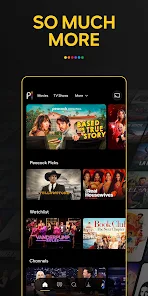
To start using the app, you first install it from Google Play or your app store, then create an account. The interface is pretty straightforward: you have a home screen with featured content, tabs for shows, movies, sports, and channels, plus a search bar. A tip I have is to use the 'Continue Watching' row to jump back into series you left off. For live sports, you can browse the 'Sports' tab and set reminders for upcoming games by tapping the bell icon. I always check the 'Trending' section under the search tab to see what's popular, since it updates daily. Also, make sure to use the 'My Stuff' feature to add shows and movies to a personal list; it makes finding them later way easier.
I've tried other streaming apps like Hulu and Netflix, but I keep coming back to Peacock TV. One big reason is the price: the free tier actually has a lot of content, including full seasons of shows like Law & Order: SVU. Compare that to Netflix, where a free trial doesn't exist, or Hulu's free plan which is very limited. The app on Google Play also runs smoothly on my older phone without lag, which isn't always the case with other streaming apps. I also like that it includes live channels like NBC News Now, so I don't need a separate news app. For someone like me who watches a mix of old reruns and live sports, this app just feels like a better fit than something more expensive or content-specific.
features
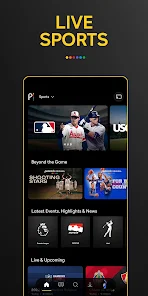
- 🎯 The standout feature for me is the live sports coverage, especially Premier League soccer. Other apps like ESPN+ might offer more in-depth analysis, but Peacock TV includes live games in the base free tier, which is huge for fans who don't want to pay extra just for a single sport.
- 📺 The 'Channels' feature is a hidden gem. It lets you stream curated live TV channels like 'SNL Vault' or 'Fallon Tonight' without needing a cable login. Hulu Live TV has similar channels but costs way more monthly; this feels like a freebie that actually works.
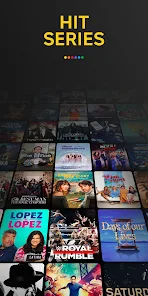
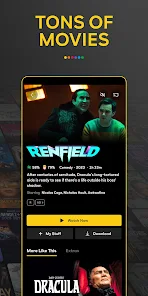
- 🎬 The library of classic NBC shows is massive. I can watch entire series of The Office, Parks and Rec, and 30 Rock without ads on the paid tier. Netflix has a lot of originals, but it lacks this specific catalog of timeless comedies that Peacock nails.
pros
- ✅ The free tier has more content than most competitors. For example, Pluto TV is also free, but its shows are often random or edited; Peacock gives you full seasons and movies.
- ✅ The app on Google Play is lightweight and loads fast on my phone, while apps like HBO Max can be sluggish and crash more.
- ✅ For live sports fans, Peacock streams exclusive Premier League and WWE events that you can't find on other services like Disney+ easily.
cons
- ❌ The ad load on the free tier is heavy. I've watched 5-6 ads before a single episode on Peacock, while Hulu's free version has fewer commercials per break.
- ❌ The search function is not great; it often struggles to find niche titles compared to Netflix's more refined algorithm.
- ❌ Offline downloads are only available on the Premium Plus tier, whereas apps like Amazon Prime Video offer them even on basic plans.
Recommended Apps
![]()
Google One
Google LLC4.1
![]()
Glam AI: Video & Photo Editor
Glam Labs, Inc.4.6
![]()
Pencil Sketch
Dumpling Sandwich Software Inc.4.7![]()
Monster Girl Maker 2
GHOULKISS4.3![]()
Wonder - AI Art Generator
Codeway Dijital3.7![]()
Prediction 2026: Savage Reveal
LKPixel0![]()
AI Photo Editor, Collage-Fotor
AI Art Photo Editor | Everimaging Ltd.4.3![]()
PixVerse: AI Video Generator
PixVerse4.5![]()
Photo Collage Editor
MeiHillMan4.7![]()
Google Maps
Google LLC4.2![]()
Walgreens
Walgreen Co.4.7![]()
QR Code Reader Barcode Scanner
Celebrity App Studio3.9![]()
Serene - Zodiac Compatibility
Hashtag inovation2.8![]()
Venmo
PayPal, Inc.4.2![]()
BESTPLAY Play to earn & donate
Bestplay4.7





























