

TeraBox: 1TB Cloud & AI Space

100M+
Installs
Flextech Inc.
Developer
-
Productivity
Category
-
Everyone
Content Rating
-
helpdesk@terabox.com
Developer Email
-
https://www.terabox.com/box-static/disk-system/html/wap_privacy.html
Privacy Policy
Screenshots

editor reviews
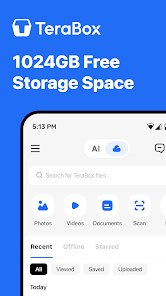
TeraBox, developed by Flextech Inc., is essentially a cloud storage app that gives you a massive amount of free space, specifically 1TB, right off the bat. It's a file management and backup tool that lives in the utility genre on your phone. The app first launched back in 2020 and got popular fast because of that huge free offer. You can grab it from the Google Play Store or the App Store without paying a cent to download or install. On the Google Play side, it's been installed over 100 million times and holds a rating around 4.5, which shows how many people actually use it. Once you install the app, you have to sign up for an account, which is standard for this type of service. While the base storage is free, TeraBox does push in-app purchases and a subscription plan for more space or extra features, and you will see ads in the free version. The target audience is pretty broad—anyone who needs to back up their phone photos, videos, or documents without eating up their device's internal storage. Typical use cases include clearing out your gallery by uploading everything to the cloud, sharing large files with friends, or just keeping a backup of important stuff like ID scans. It's not perfect, but it's hard to argue with a free terabyte.
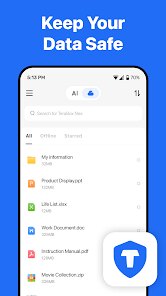
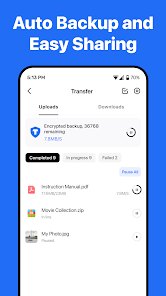
Using TeraBox is pretty straightforward once you download it. After creating your account, you're dropped into a file manager interface. You just hit the upload button, pick what you want—photos, docs, videos—and they start syncing. A major tip for getting the most out of this app is to enable auto-backup for your camera roll. It saves you from manually uploading everything every time you take a picture. Also, Facebook or other social media backup is built in, which is handy if you're like me and don't want to lose those old posts. The app has a built-in video player too, so you can stream movies or shows you stored directly from the cloud without downloading them back to your phone. One thing I always do is use the file categorization feature. The app automatically sorts your uploads into folders like “Images,” “Videos,” or “Documents,” making it easy to find what you need later. Another tip: if you're on a free plan, be aware that videos larger than 10MB might get compressed unless you pay for the premium. So for high-quality video backups, you might want to zip them first or just keep that in mind. The AI tools are also there, like photo cleanup or album creation, which are fun extras but not essential for daily storage use.
I've tried a bunch of other cloud apps before settling on TeraBox, like Google Drive and Dropbox. Honestly, what made me choose TeraBox was the 1TB free storage right when I install the app. Google Drive only gives you 15GB free, which I filled up in like a week with just photos. Dropbox is even stingier at 2GB unless you pay. For a regular person who doesn't want to spend money every month, TeraBox is a no-brainer. Sure, it has its quirks, like ads or slower download speeds on the free tier, but other apps charge you for barely any space. I use it mostly for dumping old videos and photos I don't need to access daily but want to keep. It's not as polished as Google Drive when it comes to collaboration or office editing, but for pure storage and backup, it does the job. If you're someone who just needs a big bucket to throw files into without paying, this is the one app I'd recommend from the Google Play Store. It ain't fancy, but it works.
features
- 📦 Massive Free Storage: This is the standout feature. When you install the app from the Google Play Store, you get a whole 1TB of space for free. Compare that to Google Drive, which gives you a paltry 15GB. I never have to worry about running out of room for my photos or videos. It's the main reason I stuck with TeraBox over other similar apps.
- 🔄 Auto-Backup and Facebook Sync: The app can automatically back up your camera roll and even sync your Facebook photos. This is a feature I haven't seen in other cloud storage apps so cleanly integrated. It makes sure your memories are saved without you lifting a finger, which is really convenient.
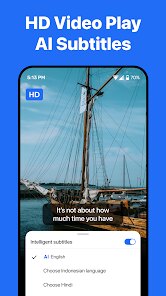
- 🎥 Built-in Video Player: TeraBox has its own video player that supports streaming. You can watch movies or videos stored in the cloud directly from the app. Google Drive requires you to download files or use a third-party player, which is way less convenient. It's a small thing, but it makes using the app a lot smoother for daily use.
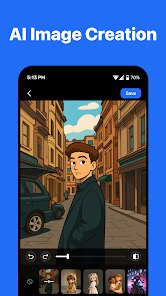
- 🤖 AI Tools for Photos: The app includes AI-powered features like photo cleanup and smart album creation. It's not as advanced as Google Photos' AI editing, but for a storage app, it's a nice bonus that helps you organize your gallery effortlessly.
pros
- 🌟 The 1TB free storage is unbeatable. I've tried Google Drive and Dropbox, but they give you nothing for free compared to TeraBox. It's a game-changer for anyone who doesn't want to pay for cloud space.
- 🌟 The automatic backup for photos and Facebook is a lifesaver. It runs in the background without any fuss, which is smoother than setting up syncing in other apps like OneDrive.
- 🌟 The built-in video streaming makes it easy to watch my stored shows without extra steps. Google Drive doesn't have a native player anywhere near as good for this purpose.
- 🌟 The user interface is simple and fast to learn. Downloading and installing TeraBox from the Google Play Store was quick, and I was backing up files in minutes.
cons
- ⚠️ Ads are intrusive. The free version throws a lot of ads at you, which can be annoying when you're just trying to open a file. Google Drive doesn't do that, so it's a clear trade-off for the free space.
- ⚠️ Download speeds are capped on the free plan. Uploading is fine, but when I try to download my files, it's slow. Dropbox and even Google Drive give you faster transfer speeds even on their free tiers.
- ⚠️ Video compression is a bummer. Videos over 10MB get compressed unless you pay for premium. This is a major weakness compared to apps like Google Photos, which store full quality if you use the high-quality setting.
- ⚠️ Customer support is weak. Reaching a real person is hard if you have a problem. Other similar apps like OneDrive have better support through Microsoft's ecosystem.
Recommended Apps
![]()
Google One
Google LLC4.1
![]()
Glam AI: Video & Photo Editor
Glam Labs, Inc.4.6
![]()
Pencil Sketch
Dumpling Sandwich Software Inc.4.7![]()
Monster Girl Maker 2
GHOULKISS4.3![]()
Wonder - AI Art Generator
Codeway Dijital3.7![]()
Prediction 2026: Savage Reveal
LKPixel0![]()
AI Photo Editor, Collage-Fotor
AI Art Photo Editor | Everimaging Ltd.4.3![]()
PixVerse: AI Video Generator
PixVerse4.5![]()
Photo Collage Editor
MeiHillMan4.7![]()
Google Maps
Google LLC4.2![]()
Walgreens
Walgreen Co.4.7![]()
QR Code Reader Barcode Scanner
Celebrity App Studio3.9![]()
Serene - Zodiac Compatibility
Hashtag inovation2.8![]()
Venmo
PayPal, Inc.4.2![]()
BESTPLAY Play to earn & donate
Bestplay4.7





























