

Elevate - Brain Training Games

10M+
Installs
The Mind Company
Developer
-
Education
Category
-
Everyone
Content Rating
-
hello@elevateapp.com
Developer Email
-
https://elevateapp.com/privacy
Privacy Policy
Screenshots


editor reviews
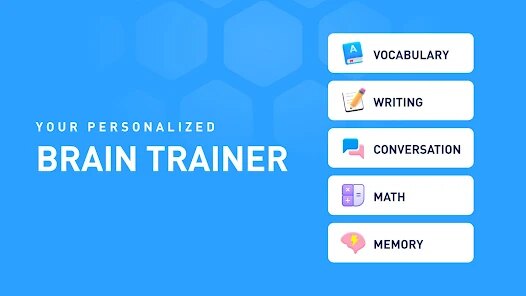
Elevate is a brain training app developed by The Mind Company, designed to improve critical cognitive skills like focus, memory, processing speed, and math. It first launched in 2014 and is available on both Google Play and the App Store. The app is free to download, but you'll run into a subscription model after a short trial period if you want full access to all games and personalized training plans. From what I've seen on Google Play, it has over 10 million installs and holds strong ratings, often hovering around 4.5 stars, which shows it's a popular choice among users. Registration is required when you first open the app, as it needs to track your progress and tailor daily workouts to your performance. There are no intrusive ads during gameplay, which is a nice touch, but the subscription fee might be a dealbreaker for some. This app targets anyone looking to sharpen their mental edge—students, professionals, or older adults aiming to stay sharp. Common use scenarios include quick five-minute sessions during a commute or a dedicated ten-minute daily routine at home. While I wouldn't call it a miracle worker, it does offer a structured way to keep the brain active without feeling like a chore.
Using Elevate is pretty straightforward. When you first install the app, it gives you a baseline assessment to determine your starting level in areas like writing, listening, and problem-solving. After that, you get a daily “training program” with three to five games that rotate based on your weak spots. The interface is clean and moves fast, so you don't waste time with menus. One tip I'd offer is to not skip the warm-up exercises—they seem simple but really prep your mind for the tougher games later. Another thing is to set a consistent time each day for training. I do mine right after my morning coffee, and it's become a habit. The app also adjusts difficulty based on how you perform, so don't get frustrated if a game feels hard at first; it's pushing you to improve. You can track your performance over time with the stats dashboard, which breaks down your scores like how many words you got right or your reaction speed. For best results, I recommend using the app for at least ten minutes daily and not skipping days, as consistency seems to matter more than length.
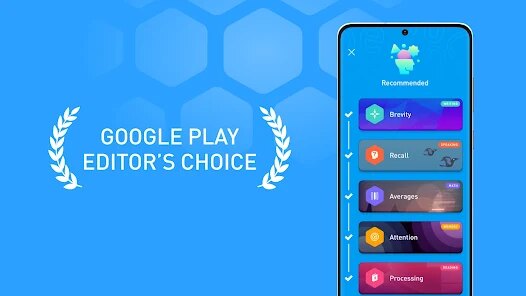
Compared to other brain training apps like Lumosity or Peak, I've stuck with Elevate because it feels more down-to-earth and less gamified. Lumosity has flashier graphics and more games, but I found it distracting; Elevate focuses purely on the exercise without all the bells and whistles. Peak offers a similar approach, but its games sometimes feel too similar to mobile puzzles you'd play for fun, whereas Elevate's exercises, like “Brevity” for writing or “Processing” for math, actually feel like they're targeting specific skills. I also like that Elevate's daily training is shorter—around ten minutes—compared to others that push for longer sessions. The app doesn't overwhelm you with options either; it gives you a clear path to follow daily. On Google Play, I remember reading reviews that said Elevate is more for serious learners, and I agree. It's not about beating high scores or competing with friends; it's about personal growth. That's why I recommend it over others if you want a no-fuss experience.
features
- 🧠 Personalized Daily Workouts: Elevate tailors each session to your weaknesses based on your progress. For instance, if you're lagging in math, you'll see more number-based games. Peek, a similar app, offers random games instead, which can feel hit-or-miss. The standout feature here is the precision—Elevate really hones in on what you need most.
- ✍️ Writing and Listening Focus: Unlike Lumosity, which leans heavily on visual puzzles, Elevate includes unique games for writing and listening skills. “Brevity” challenges you to rewrite sentences concisely, and “Bidirection” tests your ability to switch between tasks. This makes it more practical for real-life tasks like composing emails or following conversations.
- 📊 Detailed Performance Tracking: The stats dashboard is surprisingly deep. It shows your performance history in a graph, breaks down scores by skill, and even compares your current level to past months. Peek's tracking feels basic in comparison, just giving you a simple rating. Elevate's approach helps you see tangible progress over weeks, which I find motivating.
- ⚡ Quick Session Length: Each daily workout is under 10 minutes, which is a huge plus for busier days. Other apps like Lumosity often push 15-20 minute sessions, making it harder to stick with consistently. Elevate's short bursts make it easy to fit into a morning routine without feeling like a chore.
pros
- 🎯 Focus on Real Skills: Elevate emphasizes cognitive skills you use daily, like reading, writing, and math. Other apps like Peak focus more on reaction time and visual memory, which don't translate as directly to work or study. I've noticed better focus at my job since using it.
- 🎮 No Distracting Rewards: Unlike Lumosity, which throws coins and badges at you, Elevate keeps it minimal. It doesn't try to trick you into playing longer for virtual rewards. The simplicity keeps me coming back for the work, not the gimmicks.
- 🕒 Daily Consistency: The app forces a set routine each day, unlike some apps that let you skip around. That structure helps me stay disciplined, even on lazy days.
cons
- 💰 Subscription Cost: Elevate's premium plan is pricey compared to Peek, which offers more free content. After the trial, you're paying around $10 a month, which feels steep for a basic app. Some Google Play reviews mention this as a major turnoff.
- 🔁 Repetitive Games After a While: After two months, I started seeing the same game formats rotate. Lumosity has a bigger variety, so it feels less stale. Elevate could use more updates to keep it fresh.
- 🛑 No Offline Mode: You need an active internet connection to train. This is a pain when I'm on a subway or in a spotty area. Peak at least lets you download a few games for offline use.
- 📉 Limited Social Features: There's no way to compare scores with friends, unlike other apps. For some, that's fine, but it lacks the communal motivation that apps like Lumosity offer.
Recommended Apps
![]()
Secret Crush Detector App
Hopeitz Software4.8

![]()
Anima
ChristopherMoore03.2![]()
Sam's Club: Shopping & Savings
Sam's Club4.8![]()
FunSwap - AI Face Swap
AI Tech Hub3.8![]()
Uber Eats: Food Delivery
Uber Technologies, Inc.4.6![]()
Air Horn Sounds : Siren Prank
AA Studio Game4.6![]()
Fontmaker - Font Keyboard App
Sociaaal LLC4.3![]()
Daily Horoscope 2024
Code Blenders4.3![]()
Bible Chat - Holy Bible Study
Book Vitals Inc.4.8![]()
Monster High Fangtastic Life
Budge Studios4.1![]()
Personalized Call from Santa (
www.PackageFromSanta.com4.3![]()
Daily Horoscope
KADO Apps4.4![]()
Does He Like Me?
KDR Games4.3![]()
Who Love You? Personality Test
BuzzForFun0![]()
Lisa AI: Cartoonify Avatar Art
Convert Software2.9















Hot Apps
-
![]()
Google Gemini
Google LLC4.6 -
![]()
Pinterest
Pinterest4.5 -
![]()
Afterpay - Buy Now Pay Later
Afterpay3.8 -
![]()
Zoom - One Platform to Connect
zoom.us4.1 -
![]()
PolyBuzz: Chat with AI Friends
CLOUD WHALE INTERACTIVE TECHNOLOGY LLC.3.8 -
![]()
Facebook
Meta Platforms, Inc.4 -
![]()
GroupMe
GroupMe4.5 -
![]()
Chai: Chat AI Platform
Chai Research Corp.4.3 -
![]()
Wise: International Transfers
Wise Payments Ltd.4.7 -
![]()
Google Pay
Google LLC4.4 -
![]()
Signal Private Messenger
Signal Foundation4.5 -
![]()
Snapchat
Snap Inc4.1 -
![]()
Google Chrome: Fast & Secure
Google LLC4.1 -
![]()
Netflix
Netflix, Inc.3.9 -
![]()
WhatsApp Messenger
WhatsApp LLC4.5 -
![]()
Affirm: Buy now, pay over time
Affirm, Inc4.7 -
![]()
ChatOn - AI Chat Bot Assistant
AIBY Inc.4.4 -
![]()
Pandora - Music & Podcasts
Pandora4.1 -
![]()
Cash App
Block, Inc.4.6 -
![]()
Geeni
Merkury Innovations4.6 -
![]()
Hulu: Stream TV shows & movies
Disney4.5 -
![]()
Amazon Fire TV
Amazon Mobile LLC4.1 -
![]()
Microsoft Teams
Microsoft Corporation4.6 -
![]()
PayByPhone
PayByPhone Technologies Inc .4.9 -
![]()
Ticketmaster-Buy, Sell Tickets
Ticketmaster L.L.C.3 -
![]()
GasBuddy: Find & Pay for Gas
PDI Software, Inc.3.1 -
![]()
Snapmint: Buy Now, Pay in EMIs
Snapmint4.5 -
![]()
Duolingo: Language & Chess
Duolingo4.7 -
![]()
Venmo
PayPal, Inc.4.2 -
![]()
ChatBot - AI Chat
X PhotoKit4.5











































