
Screen Recorder Video Recorder

10M+
Installs
Video Screen Recorder, Voice Audio Editor, Cut MP3
Developer
-
Video Players & Editors
Category
-
Everyone
Content Rating
-
superscreenrecorder@gmail.com
Developer Email
-
https://v2.static.superlabs.info/recorder/privacy/gp_index.html?lang=en
Privacy Policy
Screenshots
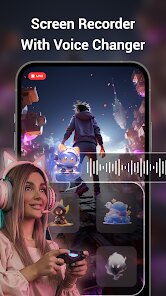
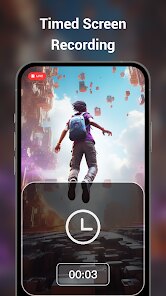
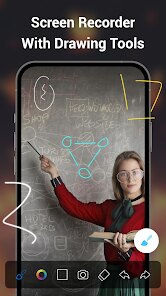
editor reviews
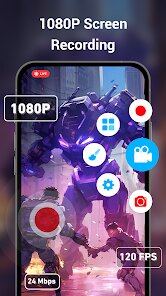
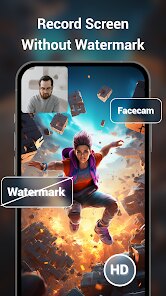
I've been using the Screen Recorder Video Recorder app on my Google Play for a good while now, and it's honestly become my go-to for capturing whatever's happening on my phone screen. It's a utility tool developed by a studio called Video Screen Recorder, Voice Audio Editor, Cut MP3, and it's been around for a few years, constantly getting updates to fix bugs and add new stuff. You can download it for free from Google Play, and while there are ads here and there, they're not too intrusive for a free app. It doesn't force you to register an account, which I really appreciate, and you can just install it and start recording right away. The install count on Google Play is pretty high, and the ratings are decent, showing that a lot of people find it useful. It's mainly aimed at gamers who want to show off their gameplay, but I've also used it to record video calls, tutorials for friends, and even little clips of streaming apps. Anyone who needs to save a moment from their phone screen can get some use out of this app.
Using the app is straightforward, but there are a few tricks I've picked up to make it work better. After you install it from Google Play and open it, there's a floating button that appears on your screen. You tap that, and you can start recording right away. The nice thing is you can choose to record with or without audio from the microphone, which is handy if you're narrating something or just want the system sounds. A tip I learned is to set the video resolution and bitrate in the settings before you hit record, especially if you're trying to save storage space. For longer recordings, it's best to check that your phone has enough free space first, as the app doesn't compress videos automatically. I also find it useful to use the pause feature when I need to skip something boring in the middle of a recording, then just resume later. The app keeps everything saved in a simple gallery where you can trim the clips, which is nice for cutting out the start or end without needing another app.
Compared to other screen recording apps on Google Play, like AZ Screen Recorder or Mobizen, I chose this one because it felt less bloated, honestly. Some similar apps push too many features and try to sell you subscriptions right away, but this one just works without nagging you to download extra stuff. I tried a few others, and they often had confusing menus or required permissions that seemed unnecessary for simple screen capture. The fact that you don't need to sign up to use Screen Recorder Video Recorder is a big win for me, because I hate creating accounts for every little app. It's not the most polished app out there, but for a free download from Google Play, it does what it says without much hassle. The recording quality is good enough for sharing on social media or saving for personal use, and I haven't had crashes or huge file size issues like I did with some other apps.
features
- 🎥 One thing that sets Screen Recorder Video Recorder apart from something like AZ Screen Recorder is the floating button control. I can move it anywhere on the screen, and it stays there even when I'm in a fullscreen game, so I can start or stop recording without leaving the app. It's a simple touch that makes a big difference when you don't want to fumble with notification panel buttons.
- 🎥 The built-in video trimmer is another feature I use a lot. After I finish recording, I can open the clip right in the app and cut off the boring parts at the beginning or end without needing a separate editor. Other apps like DU Screen Recorder often force you to use their separate video editing tool, which takes more steps and sometimes costs extra.
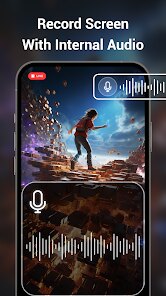
- 🎥 I also like the option to record audio from both the microphone and system sounds at the same time. This is great for recording game commentary where you want the game music and your voice in one file. Some apps only let you pick one source, and you end up missing either the game audio or your narration unless you do extra work editing later.
pros
- 👍 The app is completely free to download from Google Play with no hidden costs. I tried Mobizen and it kept pushing a premium version for high-quality recordings, but this app lets me record in decent quality without paying a cent.
- 👍 It doesn't require you to register or log in, which is a huge plus over some similar apps that want your email or phone number right after you install them.
- 👍 The interface is simple and doesn't overwhelm you with too many buttons. Compared to Screen Recorder by InShot, which has a lot of editing features I never use, this one is focused on just capturing the screen and trimming it.
cons
- 👎 The app shows ads, and sometimes they pop up when I'm trying to start a recording, which can be annoying. AZ Screen Recorder has fewer ads in my experience, so this is a downside.
- 👎 There's no option for live drawing or adding text during recording, like some apps offer. If you want to highlight something on screen, you have to edit it in another app after.
- 👎 The video quality can drop if your phone has low storage, and the app doesn't warn you beforehand. I've had a few recordings come out blurry because I forgot to free up space first.
Recommended Apps
![]()
Secret Crush Detector App
Hopeitz Software4.8

![]()
Anima
ChristopherMoore03.2![]()
Sam's Club: Shopping & Savings
Sam's Club4.8![]()
FunSwap - AI Face Swap
AI Tech Hub3.8![]()
Uber Eats: Food Delivery
Uber Technologies, Inc.4.6![]()
Air Horn Sounds : Siren Prank
AA Studio Game4.6![]()
Fontmaker - Font Keyboard App
Sociaaal LLC4.3![]()
Daily Horoscope 2024
Code Blenders4.3![]()
Bible Chat - Holy Bible Study
Book Vitals Inc.4.8![]()
Monster High Fangtastic Life
Budge Studios4.1![]()
Personalized Call from Santa (
www.PackageFromSanta.com4.3![]()
Daily Horoscope
KADO Apps4.4![]()
Does He Like Me?
KDR Games4.3![]()
Who Love You? Personality Test
BuzzForFun0![]()
Lisa AI: Cartoonify Avatar Art
Convert Software2.9















Hot Apps
-
![]()
Google Gemini
Google LLC4.6 -
![]()
Pinterest
Pinterest4.5 -
![]()
Afterpay - Buy Now Pay Later
Afterpay3.8 -
![]()
Zoom - One Platform to Connect
zoom.us4.1 -
![]()
PolyBuzz: Chat with AI Friends
CLOUD WHALE INTERACTIVE TECHNOLOGY LLC.3.8 -
![]()
Facebook
Meta Platforms, Inc.4 -
![]()
GroupMe
GroupMe4.5 -
![]()
Chai: Chat AI Platform
Chai Research Corp.4.3 -
![]()
Wise: International Transfers
Wise Payments Ltd.4.7 -
![]()
Google Pay
Google LLC4.4 -
![]()
Signal Private Messenger
Signal Foundation4.5 -
![]()
Snapchat
Snap Inc4.1 -
![]()
Google Chrome: Fast & Secure
Google LLC4.1 -
![]()
Netflix
Netflix, Inc.3.9 -
![]()
WhatsApp Messenger
WhatsApp LLC4.5 -
![]()
Affirm: Buy now, pay over time
Affirm, Inc4.7 -
![]()
ChatOn - AI Chat Bot Assistant
AIBY Inc.4.4 -
![]()
Pandora - Music & Podcasts
Pandora4.1 -
![]()
Cash App
Block, Inc.4.6 -
![]()
Geeni
Merkury Innovations4.6 -
![]()
Hulu: Stream TV shows & movies
Disney4.5 -
![]()
Amazon Fire TV
Amazon Mobile LLC4.1 -
![]()
Microsoft Teams
Microsoft Corporation4.6 -
![]()
PayByPhone
PayByPhone Technologies Inc .4.9 -
![]()
Ticketmaster-Buy, Sell Tickets
Ticketmaster L.L.C.3 -
![]()
GasBuddy: Find & Pay for Gas
PDI Software, Inc.3.1 -
![]()
Snapmint: Buy Now, Pay in EMIs
Snapmint4.5 -
![]()
Duolingo: Language & Chess
Duolingo4.7 -
![]()
Venmo
PayPal, Inc.4.2 -
![]()
ChatBot - AI Chat
X PhotoKit4.5











































