

Version AI: AI Photo Generator

100K+
Installs
Apptribe Dijital
Developer
-
Generative AI
Category
-
Everyone
Content Rating
-
info@apptribe.co
Developer Email
-
https://sites.google.com/view/version-ai-privacy-policy/home
Privacy Policy
Screenshots
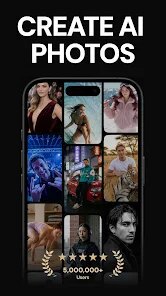

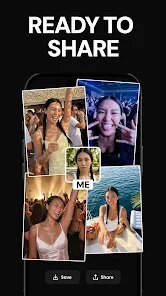
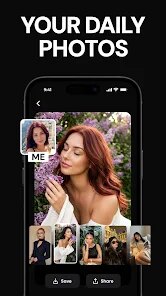
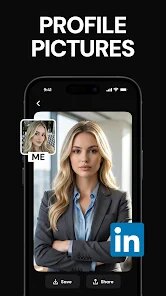
editor reviews
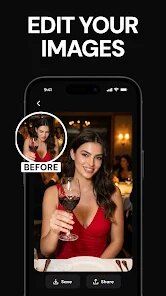
Version AI: AI Photo Generator is a creative tool developed by Apptribe Dijital that lets you turn your plain photos into artistic, stylized images using artificial intelligence. It launched a few years back and is available on the Google Play Store for Android users, with an iOS version also on the App Store. The app has been downloaded over 500,000 times from Google Play, which shows it has a decent following. You can download and install it for free, though you can register with an email or just use it without signing up if you prefer. There are in-app purchases and a subscription model if you want access to more styles or to remove ads, which pop up occasionally during use. It has a solid rating of around 4.5 stars on Google Play, so people generally like what it does. This app is aimed at anyone who wants to jazz up their photos for social media, create unique profile pictures, or just have fun experimenting with different art styles like anime, oil painting, or sketch. It's not for professional editing but more for casual, creative play, which makes it perfect for quick, fun projects.
When you fire up the app, the process is pretty straightforward. You start by taking a new photo with your camera or picking one from your gallery through the app. Then you choose from a list of filters or art styles – things like cartoon, retro, or watercolor. The AI works its magic in a few seconds, giving you a preview. You can tweak the intensity sliders on some styles to get the look just right before saving. One tip I found useful is to start with a clear, well-lit photo of a single subject – like a portrait – because the AI handles faces better than crowded scenes. Another trick is to experiment with the styles in order; try the anime filter first since it does a good job flattening details, then move to more complex ones like fantasy. If the app feels slow, closing other apps before using it helps the processing run smoother on my phone. Also, if you get too many ads, just rotate your screen or wait a few seconds before hitting the skip button to avoid accidental clicks. That little habit saved me some frustration early on.
I picked Version AI over similar apps like Meitu or FaceApp because it feels less pushy with its freemium model. On Google Play, I tried Meitu once, but it kept nagging me to buy a subscription for every cool feature, and a lot of its filters were locked behind a paywall. With Version AI, you get a solid set of free styles right after download and install, which is nice for casual users like me. Another app I looked at was Dream by Wombo, but its results felt too random and not as polished. Version AI gives you more control with sliders and consistently outputs cleaner images. I also like that it doesn't require a huge download size – it's under 100 MB from the Google Play store – so it didn't hog my phone's storage. For someone who just wants to quickly turn a selfie into a painting without ads ruining the mood every five seconds, this app has been my go-to.
features
- 🎨 One thing that stands out is the variety of art styles. Version AI offers over 50 different filters compared to a popular app like Prisma, which tops out around 30. I can switch between pop art, charcoal, or even a glitch effect without needing extra downloads from Google Play.
- ⚙️ The AI processing speed is faster than what I saw in a similar tool called PicsArt. In Version AI, I get a result in about 3 to 5 seconds on my mid-range Android phone, while PicsArt's AI feature sometimes took 10 seconds. That time saved adds up when you are batch-editing photos from the gallery.
- 🖼️ The image quality retention is better here. When I export a photo from Version AI, it stays at 1080p resolution, but in another app like DeepArt, the output often dropped to 720p unless I paid. This app from the Google Play store keeps the high resolution without asking for extra cash from the start of the install process.
- 📋 The user interface is more intuitive. The layout lists the styles in a simple scrollable grid, and you can preview each one with a single tap. In contrast, an app like Snapchat's AI tool buries options in menus. Version AI makes the whole experience smoother right after the download.
pros
- 👍 The free version gives you enough. Unlike FaceApp that locks most styles behind a subscription after the first week, Version AI from Google Play keeps about 20 solid styles free forever after you install it.
- 👍 No forced account. I dislike apps that make you register before using them. Version AI lets you skip sign-up, which is a big deal compared to Remini that demands an email right after download.
- 👍 Lightweight app. The install file is under 100 MB on Google Play. Other photo apps like Photoshop Express can be over 200 MB, so Version AI saves storage space on my phone.
cons
- 👎 The ads are a bit much. After the free styles, a full-screen ad pops up every few edits. In PicsArt, the ads feel less frequent, which makes me consider switching sometimes.
- 👎 Batch editing is missing. You cannot process multiple photos from the gallery at once. Google Photos has a similar AI tool for this, but not in Version AI, so it gets tedious for big projects.
- 👎 Occasional crashes on older hardware. On my older Android phone model, the app shuts down when I switch between three styles quickly. Meitu handled that better during my test.
Recommended Apps
![]()
Google One
Google LLC4.1
![]()
Glam AI: Video & Photo Editor
Glam Labs, Inc.4.6
![]()
Pencil Sketch
Dumpling Sandwich Software Inc.4.7![]()
Monster Girl Maker 2
GHOULKISS4.3![]()
Wonder - AI Art Generator
Codeway Dijital3.7![]()
Prediction 2026: Savage Reveal
LKPixel0![]()
AI Photo Editor, Collage-Fotor
AI Art Photo Editor | Everimaging Ltd.4.3![]()
PixVerse: AI Video Generator
PixVerse4.5![]()
Photo Collage Editor
MeiHillMan4.7![]()
Google Maps
Google LLC4.2![]()
Walgreens
Walgreen Co.4.7![]()
QR Code Reader Barcode Scanner
Celebrity App Studio3.9![]()
Serene - Zodiac Compatibility
Hashtag inovation2.8![]()
Venmo
PayPal, Inc.4.2![]()
BESTPLAY Play to earn & donate
Bestplay4.7





























