

Hailuo Al: Image&Video Maker

Installs
MiniMax AI
Developer
-
Generative AI
Category
-
Teen
Content Rating
-
contact@hailuoai.com
Developer Email
-
https://hailuoai.video/doc/privacy-policy.html
Privacy Policy
Screenshots

editor reviews
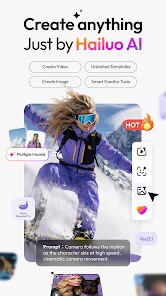
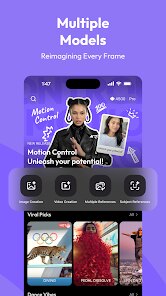
I've been using Hailuo AI: Image & Video Maker on my phone for a few months now, and it's honestly become one of my go-to apps for creative projects. It's developed by MiniMax AI, a company that's been making waves in the generative media space. The app lets you turn text prompts or existing images into videos, and it also offers standard AI image generation. You can download it for free from the Google Play store, and as of early 2025, it's been out for just over a year. The install count is climbing steadily, sitting somewhere around 10 million downloads, which is pretty impressive for a niche creative tool. The app itself is free to install and use at a basic level, but there are subscription options if you want higher resolution outputs or faster processing. You do need to create an account to use it, but the sign-up process is quick—just an email or a Google account link. There are no banner ads popping up while you're working, which I really appreciate. I think the target audience is mostly content creators, social media managers, and hobbyists who want to make short video clips without learning complicated software. I've personally used it to make little animated loops for my Instagram stories and even a couple of short promotional clips for my small online shop.
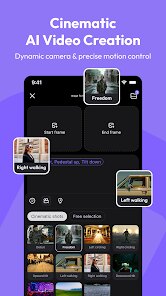
Actually using the app is pretty straightforward. You start by typing a description of what you want to see, just like you would with any text-to-image generator, and then Hailo AI turns it into a four-second video clip. The first few times I used it, I kept my prompts really simple, like “a cat walking on a sunny beach” or “a neon sign flickering in the rain.” That worked fine, but I realized I got better results once I began adding style keywords like “cinematic lighting” or “anime style.” One tip I can give you is to use the “image-to-video” feature instead of the text-to-video if you have a specific look in mind. For example, you can upload a photo you took, and the app will animate it. I've had the best luck with photos that have clear subjects and simple backgrounds. Another thing I learned is that if you want more control, you should use the negative prompt field to tell the app what you don't want. The processing time is usually around 30 to 60 seconds per clip on the free tier, which isn't bad, but the subscription is a lot faster.
I've tried a few other similar apps like Pika Labs and Runway ML, but I keep coming back to Hailuo AI because it feels less overwhelming. Pika Labs is great for high-end effects, but the interface is a bit clunky for a phone user. Runway ML is powerful but honestly overkill if you just want to make a quick meme or a short video for your friends. Hailuo AI strikes a nice balance: it's simple enough that I can use it on my commute, but it still produces decent quality. The real reason I chose this over the others is purely practical—it works well on my mid-range Android phone without crashing, and I don't need to be a video editor to get something usable out of it. Plus, the fact that I can just download it from the Google Play store without jumping through hoops makes it the most accessible option for me.
features
- ✨ The standout feature for me is the image-to-video conversion. A lot of apps like Pika Labs can do this too, but Hailuo AI handles it more consistently. I uploaded a simple drawing of a character I made, and the app turned it into a smooth animation without distorting the original design. Other apps I've tried often add weird artifacts or change the colors.
- ✨ I love the prompt suggestion engine. When you type a description, the app automatically offers a few style presets like “3D render” or “watercolor.” This is super helpful because I'm not always good at describing the exact aesthetic I want. With similar apps on Google Play, you usually have to figure out the right wording all by yourself.
- ✨ The processing speed on the paid tier is genuinely fast. On the free version, you wait maybe a minute per video, but the Pro subscription cuts that down to about 15 seconds. That matters a lot when I'm trying to batch-generate a few clips in a row for a short project. I once tried using a different app that took nearly five minutes per generation, and it drove me crazy.
pros
- 👍 It's incredibly beginner-friendly. I have friends who are scared of even basic video editing apps, but they found Hailuo AI easy to use from the first download.
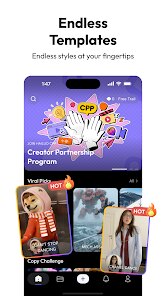
- 👍 The app regularly adds new style models. I noticed they updated the library about once a month, which keeps things fresh compared to some static competitors.
- 👍 It works well on older phones. I still have a Galaxy S20, and the app runs smoothly without overheating or draining the battery too fast.
cons
- 👎 The free version's output resolution is capped at 720p, which looks fine on a phone but not great if you export to a larger screen.
- 👎 There's no proper video editor built in. Once the clip is generated, you can't trim or adjust it, so you have to use another app if you need edits. Runway ML has this feature built-in.
- 👎 The text-to-video generation sometimes ignores complex prompts. If you ask for “a dog wearing a hat riding a bicycle,” the app might miss the hat entirely.
Recommended Apps
![]()
Google One
Google LLC4.1
![]()
Glam AI: Video & Photo Editor
Glam Labs, Inc.4.6
![]()
Pencil Sketch
Dumpling Sandwich Software Inc.4.7![]()
Monster Girl Maker 2
GHOULKISS4.3![]()
Wonder - AI Art Generator
Codeway Dijital3.7![]()
Prediction 2026: Savage Reveal
LKPixel0![]()
AI Photo Editor, Collage-Fotor
AI Art Photo Editor | Everimaging Ltd.4.3![]()
PixVerse: AI Video Generator
PixVerse4.5![]()
Photo Collage Editor
MeiHillMan4.7![]()
Google Maps
Google LLC4.2![]()
Walgreens
Walgreen Co.4.7![]()
QR Code Reader Barcode Scanner
Celebrity App Studio3.9![]()
Serene - Zodiac Compatibility
Hashtag inovation2.8![]()
Venmo
PayPal, Inc.4.2![]()
BESTPLAY Play to earn & donate
Bestplay4.7





























