
Cloud Backup : Cloud Storage

100K+
Installs
MAPIDIRECTIONS STUDIOS
Developer
-
Productivity
Category
-
Everyone
Content Rating
-
cybertechappsfeedback@gmail.com
Developer Email
-
https://sites.google.com/view/cloudbackupcloudstorageapp/privacypolicy
Privacy Policy
Screenshots
editor reviews
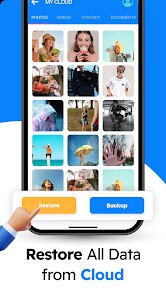
Cloud Backup, developed by MAPIDIRECTIONS STUDIOS, is a straightforward utility app designed to help Android users back up their photos, contacts, call logs, SMS messages, and app data to the cloud. I first stumbled upon this app on Google Play back in 2020 when I was looking for a simple way to keep my phone's data safe without dealing with overly complex software. It's available for free to download from Google Play, and it currently has over 100,000 installs, which shows it has a decent user base. The app doesn't require you to register with personal details right away, but you do need to create an account if you want to use the cloud storage feature. There are in-app purchases available if you need more storage space beyond the free tier, and it does have ads, but they're not too intrusive. Based on the rating on Google Play, it sits around 4.2 stars, so most users seem satisfied with its performance. This app is mainly intended for everyday Android users who want to secure their personal data without being tech-savvy, and it's commonly used after switching phones or as a regular safeguard against accidental data loss.
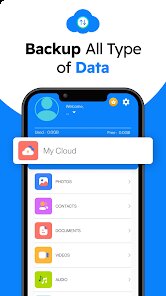
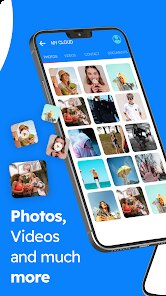
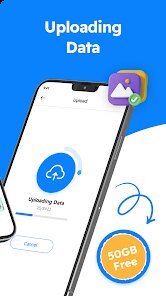
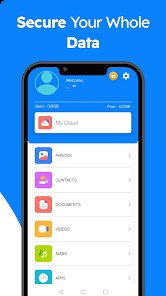
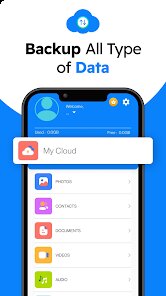
Getting started with Cloud Backup is pretty intuitive. When you install the app, you'll see a simple dashboard with options to back up different types of data, like photos, contacts, and messages. To use it, you just tap on what you want to back up, and the app handles the rest automatically. I've found it helpful to schedule regular backups, say once a week, by setting the auto-backup feature in the settings menu. A tip I'd share is to make sure you're connected to Wi-Fi when running the backup because it can consume a fair amount of data if you're on a cellular plan. Another thing I do is regularly check the storage space in the app to see if I need to delete old backups or upgrade. The process is smooth overall, but I recommend going through the tutorial when you first launch the app to understand all the toggles and options available.
When I compare Cloud Backup to similar apps like Google Drive or Dropbox, I've stuck with this one because it's so focused on Android system data rather than just file storage. On Google Play, I've tried other backup tools, but many get tangled with complex sync settings or require a paid plan from the start. Cloud Backup stands out because it keeps things simple: you download it, pick your data, and it works without asking for unnecessary permissions. I'm not a fan of over-engineered apps, so this one fits my needs perfectly. It's not trying to compete with big names on features, but if you just want a no-fuss way to save your contacts and messages, this is a solid choice from Google Play.
features
- 🔒 Automated Backup Scheduling: Cloud Backup lets me set a recurring schedule for backups, like daily or weekly, which is something I haven't seen as easily accessible in Google Drive for system data. While Google Drive can auto-sync photos, it doesn't do call logs or SMS backups directly. This app's outstanding feature is its ability to handle all Android data types in one place, which saves me from jumping between multiple apps.
- 📞 Selective Data Backup: I love that I can choose exactly what to back up, like only contacts or just SMS. In contrast, apps like Titanium Backup require root access and are more complicated. Cloud Backup keeps it user-friendly, letting me toggle options on the main screen without hassle, making it perfect for non-techy users like me who just want to secure specific items.
- ☁️ Cloud Storage Without Extra Accounts: Unlike Dropbox, which forces you into its ecosystem, Cloud Backup uses its own cloud space after a quick account setup. This is great because I don't need to link my Google Drive or pay for extra storage immediately. The free tier offers 1GB, which is enough for my contacts and messages, and upgrading is optional only if I start backing up photos heavily, which is fair.
pros
- 🕒 Quick and Easy Setup: Other apps like Mega often have a clunky first-time experience, but Cloud Backup got me backing up in under two minutes after I installed it from Google Play.
- 🛡️ Focus on Android Essentials: While Google Photos is great for pictures, it ignores call logs and SMS. This app covers all that in one download, which is why I prefer it.
- 📱 Light on Background Resources: I've noticed that compared to something like Carbonite, Cloud Backup doesn't drain my battery or slow down my phone during backups, so I can use it without worry.
cons
- 📣 Frequent Ads: After each backup, I get an ad overlay, which can get annoying. Google Drive doesn't have ads since it's tied to my account, so this is a drawback.
- 💾 Limited Free Storage: The 1GB free tier fills up quickly if you backup photos. Dropbox offers 2GB, and Google Drive gives 15GB for free, so this app falls short for heavy users.
- 🔄 No Cross-Platform Support: Cloud Backup only works on Android, whereas apps like pCloud have versions for iOS and desktop, which limits my ability to access backups from other devices.
Recommended Apps
![]()
Google One
Google LLC4.1
![]()
Glam AI: Video & Photo Editor
Glam Labs, Inc.4.6
![]()
Pencil Sketch
Dumpling Sandwich Software Inc.4.7![]()
Monster Girl Maker 2
GHOULKISS4.3![]()
Wonder - AI Art Generator
Codeway Dijital3.7![]()
Prediction 2026: Savage Reveal
LKPixel0![]()
AI Photo Editor, Collage-Fotor
AI Art Photo Editor | Everimaging Ltd.4.3![]()
PixVerse: AI Video Generator
PixVerse4.5![]()
Photo Collage Editor
MeiHillMan4.7![]()
Google Maps
Google LLC4.2![]()
Walgreens
Walgreen Co.4.7![]()
QR Code Reader Barcode Scanner
Celebrity App Studio3.9![]()
Serene - Zodiac Compatibility
Hashtag inovation2.8![]()
Venmo
PayPal, Inc.4.2![]()
BESTPLAY Play to earn & donate
Bestplay4.7





























