
CatTranslator - Cat to Human

1M+
Installs
Tripti
Developer
-
Lifestyle
Category
-
Everyone
Content Rating
-
triptiteng37@gmail.com
Developer Email
-
https://sites.google.com/view/tripti-kumari/privacy-policy
Privacy Policy
Screenshots
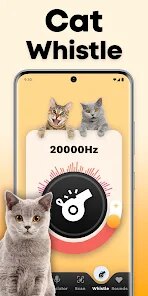
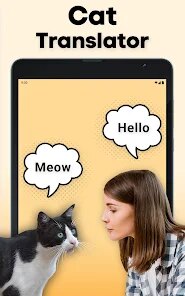
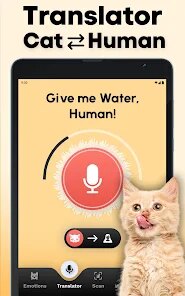
editor reviews
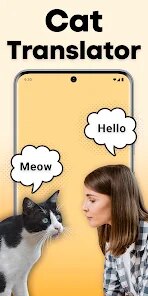
CatTranslator - Cat to Human, created by developer Tripti null, is a fun and lighthearted mobile application that claims to interpret your feline friend's meows, purrs, and other vocalizations into human-understandable phrases. It's essentially an entertainment tool rather than a scientific device, designed to give cat owners a playful way to imagine what their pets might be saying. The app first appeared on the Google Play Store a while back, and it's also available on the Apple App Store for iOS users. If you search for it on Google Play, you'll see it's free to download, which is a big plus for anyone curious about trying it out. You don't need to register an account to use it, and while there are optional in-app purchases and ads, the core functionality is accessible without spending a dime. The app has seen a decent number of installs, and its rating on Google Play reflects that it's more of a novelty for entertainment purposes than a serious tool. The target audience is obviously cat lovers, ranging from kids who think it's hilarious to adults who just want a laugh with their pets. Common use scenarios include recording your cat's meows when they want food or attention, then seeing the "translated" text pop up on your screen. It's a social icebreaker too, as many people love showing off the silly translations to friends or on social media.
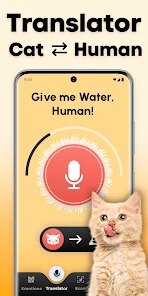
Using the app is pretty straightforward. You hit the big record button, let your cat make some noise, and the app processes the audio. It then displays a short phrase, like "I'm hungry" or "Pet me now!" based on the pitch and frequency of the meow. To get better results, I found that holding the phone closer to your cat and recording in a quiet room really helps. Also, the app seems to work better with actual meows rather than purring or hissing, so try to catch those moments when your cat is vocalizing directly at you. There's a built-in history section where you can save your favorite translations, which is great for sharing later. I also recommend using the "Cat Sound Analysis" feature carefully, as sometimes it can be overly sensitive to background noise like a TV or a doorbell. A tip that worked for me is to use it when your cat is in a "chatty" mood, usually around feeding time, and you'll get some genuinely amusing results.
I've tried a couple of similar apps, like "MeowTalk" and "Human to Cat Translator," but I keep coming back to CatTranslator - Cat to Human. The reason is simple: it feels less complicated and more direct. MeowTalk, while more feature-rich, often requires more tweaking and calibration. CatTranslator just gets straight to the point, which I appreciate. The interface is cleaner, and the translations are often funnier. Google Play shows it has a smaller download count than MeowTalk, but that doesn't bother me because it works well for what it is. It's more of a quick joke app than a serious utility, and I like that honesty.
features
- 😺 Real-time audio capture - This is the core feature. You press a button, and the app listens to your cat's meow in real time. The processing speed is impressive, usually giving you a translation within two seconds. Compared to "MeowTalk," which sometimes has a noticeable lag, this app feels snappy. It uses the microphone efficiently, and I've found it picks up even softer meows, which is great for shy cats.
- 😸 Multiple cat voice profiles - The app lets you set up profiles for different cats in your household. So if you have two cats with different vocal patterns, you can switch between profiles to get more tailored translations. This is something I haven't seen done as well in "Human to Cat Translator." That app treats every cat as the same, but we all know our pets are unique. The ability to adjust the sensitivity per profile makes a huge difference in getting believable results.
- 😹 Fun translation history and sharing - After each translation, you can save the result to a log. This log is easy to browse, and you can share your favorite translations directly to social media or messaging apps. It's a small thing, but it makes the app more social. "MeowTalk" has a similar feature, but the sharing options here are more integrated and less clunky. Plus, the history is stored locally, so you don't need an internet connection to access past recordings, which is great when you're on the go.
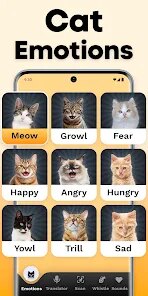
- 😻 Simple sound analysis display - The app shows a small waveform and a frequency bar after each recording. It's not a scientific tool by any means, but it gives you a visual representation of what the app is analyzing. This helps you understand why certain meows translate differently. It's a nice touch that adds a bit of transparency without overwhelming you with data, which I appreciate compared to more technical apps that flood you with charts.
pros
- 🏆 Free to start - Unlike many similar apps that lock basic features behind a paywall, CatTranslator - Cat to Human lets you use the core translator for free on Google Play. It's only when you want extra voice packs or no ads that you consider paying. I compared this to "MeowTalk," which pushes a premium subscription heavily right away. Here, it feels more like a choice.
- 📱 Lightweight install - The app takes up very little space on my phone compared to others. It downloads fast, and the install process is smooth with no unnecessary permissions requests. "Human to Cat Translator" had a lot of bloatware and required access to my contacts, which I found suspicious. This app just asks for microphone access, which makes sense.
- 🔊 Better accuracy for short meows - In my experience, this app handles quick, short meows better than "MeowTalk" does. Short bursts are common in real life, and some apps struggle to process them. Here, I get a translation nearly every time, even if the sound is brief. That reliability earns it a spot on my home screen.
cons
- 🛑 Not scientifically accurate - I have to be honest; this app is not based on real animal behavior research. It's purely for fun. If you're looking for a serious tool to understand your pet, this might disappoint you. "MeowTalk" claims to have more scientific backing, although I'm still skeptical, but it does feel more "serious" in that sense.
- 📶 Requires quiet environment - The app struggles in noisy rooms. If there's a lot of background chatter or loud noise, it can produce nonsense translations. I found that "Human to Cat Translator" handles background noise a bit better, but it also adds more delays. So there's a trade-off here.
- 💳 In-app purchases feel repetitive - While the app is free, it does nag you a bit with prompts to buy premium voice packs or remove ads. It's not intrusive, but after a while, the constant reminders on Google Play can get tiring. Other apps do this too, but this one has a slightly higher frequency of pop-ups.
Recommended Apps
![]()
Secret Crush Detector App
Hopeitz Software4.8

![]()
Anima
ChristopherMoore03.2![]()
Sam's Club: Shopping & Savings
Sam's Club4.8![]()
FunSwap - AI Face Swap
AI Tech Hub3.8![]()
Uber Eats: Food Delivery
Uber Technologies, Inc.4.6![]()
Air Horn Sounds : Siren Prank
AA Studio Game4.6![]()
Fontmaker - Font Keyboard App
Sociaaal LLC4.3![]()
Daily Horoscope 2024
Code Blenders4.3![]()
Bible Chat - Holy Bible Study
Book Vitals Inc.4.8![]()
Monster High Fangtastic Life
Budge Studios4.1![]()
Personalized Call from Santa (
www.PackageFromSanta.com4.3![]()
Daily Horoscope
KADO Apps4.4![]()
Does He Like Me?
KDR Games4.3![]()
Who Love You? Personality Test
BuzzForFun0![]()
Lisa AI: Cartoonify Avatar Art
Convert Software2.9















Hot Apps
-
![]()
Google Gemini
Google LLC4.6 -
![]()
Pinterest
Pinterest4.5 -
![]()
Afterpay - Buy Now Pay Later
Afterpay3.8 -
![]()
Zoom - One Platform to Connect
zoom.us4.1 -
![]()
PolyBuzz: Chat with AI Friends
CLOUD WHALE INTERACTIVE TECHNOLOGY LLC.3.8 -
![]()
Facebook
Meta Platforms, Inc.4 -
![]()
GroupMe
GroupMe4.5 -
![]()
Chai: Chat AI Platform
Chai Research Corp.4.3 -
![]()
Wise: International Transfers
Wise Payments Ltd.4.7 -
![]()
Google Pay
Google LLC4.4 -
![]()
Signal Private Messenger
Signal Foundation4.5 -
![]()
Snapchat
Snap Inc4.1 -
![]()
Google Chrome: Fast & Secure
Google LLC4.1 -
![]()
Netflix
Netflix, Inc.3.9 -
![]()
WhatsApp Messenger
WhatsApp LLC4.5 -
![]()
Affirm: Buy now, pay over time
Affirm, Inc4.7 -
![]()
ChatOn - AI Chat Bot Assistant
AIBY Inc.4.4 -
![]()
Pandora - Music & Podcasts
Pandora4.1 -
![]()
Cash App
Block, Inc.4.6 -
![]()
Geeni
Merkury Innovations4.6 -
![]()
Hulu: Stream TV shows & movies
Disney4.5 -
![]()
Amazon Fire TV
Amazon Mobile LLC4.1 -
![]()
Microsoft Teams
Microsoft Corporation4.6 -
![]()
PayByPhone
PayByPhone Technologies Inc .4.9 -
![]()
Ticketmaster-Buy, Sell Tickets
Ticketmaster L.L.C.3 -
![]()
GasBuddy: Find & Pay for Gas
PDI Software, Inc.3.1 -
![]()
Snapmint: Buy Now, Pay in EMIs
Snapmint4.5 -
![]()
Duolingo: Language & Chess
Duolingo4.7 -
![]()
Venmo
PayPal, Inc.4.2 -
![]()
ChatBot - AI Chat
X PhotoKit4.5











































