
Recovery Pro - File Recovery

1M+
Installs
Makes Your Life Easier
Developer
-
Productivity
Category
-
Everyone
Content Rating
-
admin@techverse.app
Developer Email
-
https://sites.google.com/supernovajsc.com/privacy-policy-makes-easier
Privacy Policy
Screenshots


editor reviews
Recovery Pro - File Recovery is a data recovery app from the developer Makes Your Life Easier. It falls into the utility and tools genre of apps, and its main job is to help you get back photos, videos, documents, and other files that were deleted or lost on your phone. The app first showed up on the Google Play Store around 2018 and is also listed on the App Store, so both Android and iOS users can grab it. You can download and install the app for free, and there is no need to create an account or sign up before you start scanning. The app does show ads, and there are in-app purchases if you want to unlock extra recovery options. Install numbers sit in the millions on Google Play, and the rating hovers around four stars, which is a decent sign for a free recovery tool. Most people who install this app are regular phone users who accidentally deleted something important, or folks switching to a new device who need to pull old files off internal storage or a memory card. Common scenes include recovering photos after a factory reset, finding a lost work document, or digging up chat attachments that got wiped. The app is also handy for people who are not tech savvy, because the whole process is point and click.
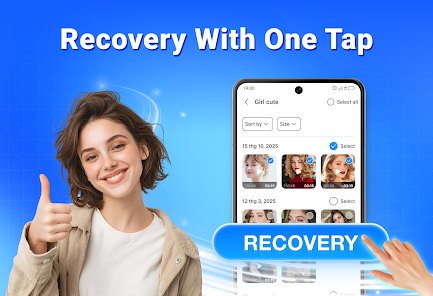
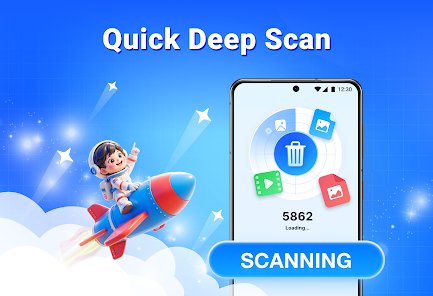
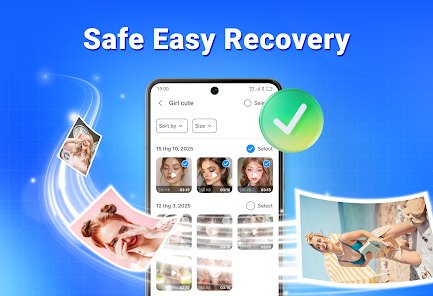
Using the app is pretty straightforward. After you install it from Google Play, open it and pick the type of file you want to recover, like photos or documents. Then choose where to scan, either internal storage or an SD card. Hit the scan button and let the app run; a quick scan takes a minute or two, while a deep scan can take longer on a full phone. Once results come up, preview the files and select what you need, then save them to a safe folder. Some tips from someone who has used it a few times: stop using your phone right after you lose a file, because new data can overwrite what you are trying to recover. Run the deep scan if the quick one misses things. Also check the free preview before paying, so you know the file is actually there. Keep the app updated through the Google Play Store for better results, and make sure your battery is charged before starting a long scan.
I have tried a few other recovery apps, like EaseUS MobiSaver and DiskDigger, and I still keep Recovery Pro on my phone. DiskDigger is fine for photos but feels limited for documents, and EaseUS pushes you toward paid plans quickly. Recovery Pro gives me a free scan and a clear preview, which helps me decide if it is worth paying. The interface is simpler too, so I do not have to read instructions. It is not the fastest app out there, but for a free download from Google Play, it does the job without much fuss. That is why I choose it over the others.
features
- 🔍 Free scan and preview before you pay: unlike EaseUS MobiSaver, which locks results behind a paywall fast, this app lets you see what is recoverable first.
- 📱 Wide file type support: photos, videos, audio, and documents all in one scan, so you do not need a separate app for each type like you might with DiskDigger.
- 💾 SD card and internal storage scanning: the app checks both, which makes it more flexible than some rivals that only look at internal memory.
- ⚡ Simple one-tap process: pick a file type, scan, and save, with no account needed, while similar apps often ask you to register first.
pros
- 👍 The free scan gives you real results before any payment, which EaseUS MobiSaver does not do.
- 👍 The install and setup are quick, and no sign-up is required, unlike DiskDigger in some versions.
- 👍 It handles multiple file types in one place, so it beats single-purpose recovery apps.
cons
- 👎 Deep scans can be slow on phones with lots of data, slower than DiskDigger in my experience.
- 👎 Ads show up in the free version, and EaseUS MobiSaver feels cleaner in that regard.
- 👎 Some advanced recovery options sit behind in-app purchases, which can add up.
Recommended Apps
![]()
Secret Crush Detector App
Hopeitz Software4.8

![]()
Anima
ChristopherMoore03.2![]()
Sam's Club: Shopping & Savings
Sam's Club4.8![]()
FunSwap - AI Face Swap
AI Tech Hub3.8![]()
Uber Eats: Food Delivery
Uber Technologies, Inc.4.6![]()
Air Horn Sounds : Siren Prank
AA Studio Game4.6![]()
Fontmaker - Font Keyboard App
Sociaaal LLC4.3![]()
Daily Horoscope 2024
Code Blenders4.3![]()
Bible Chat - Holy Bible Study
Book Vitals Inc.4.8![]()
Monster High Fangtastic Life
Budge Studios4.1![]()
Personalized Call from Santa (
www.PackageFromSanta.com4.3![]()
Daily Horoscope
KADO Apps4.4![]()
Does He Like Me?
KDR Games4.3![]()
Who Love You? Personality Test
BuzzForFun0![]()
Lisa AI: Cartoonify Avatar Art
Convert Software2.9















Hot Apps
-
![]()
Google Gemini
Google LLC4.6 -
![]()
Pinterest
Pinterest4.5 -
![]()
Afterpay - Buy Now Pay Later
Afterpay3.8 -
![]()
Zoom - One Platform to Connect
zoom.us4.1 -
![]()
PolyBuzz: Chat with AI Friends
CLOUD WHALE INTERACTIVE TECHNOLOGY LLC.3.8 -
![]()
Facebook
Meta Platforms, Inc.4 -
![]()
GroupMe
GroupMe4.5 -
![]()
Chai: Chat AI Platform
Chai Research Corp.4.3 -
![]()
Wise: International Transfers
Wise Payments Ltd.4.7 -
![]()
Google Pay
Google LLC4.4 -
![]()
Signal Private Messenger
Signal Foundation4.5 -
![]()
Snapchat
Snap Inc4.1 -
![]()
Google Chrome: Fast & Secure
Google LLC4.1 -
![]()
Netflix
Netflix, Inc.3.9 -
![]()
WhatsApp Messenger
WhatsApp LLC4.5 -
![]()
Affirm: Buy now, pay over time
Affirm, Inc4.7 -
![]()
ChatOn - AI Chat Bot Assistant
AIBY Inc.4.4 -
![]()
Pandora - Music & Podcasts
Pandora4.1 -
![]()
Cash App
Block, Inc.4.6 -
![]()
Geeni
Merkury Innovations4.6 -
![]()
Hulu: Stream TV shows & movies
Disney4.5 -
![]()
Amazon Fire TV
Amazon Mobile LLC4.1 -
![]()
Microsoft Teams
Microsoft Corporation4.6 -
![]()
PayByPhone
PayByPhone Technologies Inc .4.9 -
![]()
Ticketmaster-Buy, Sell Tickets
Ticketmaster L.L.C.3 -
![]()
GasBuddy: Find & Pay for Gas
PDI Software, Inc.3.1 -
![]()
Snapmint: Buy Now, Pay in EMIs
Snapmint4.5 -
![]()
Duolingo: Language & Chess
Duolingo4.7 -
![]()
Venmo
PayPal, Inc.4.2 -
![]()
ChatBot - AI Chat
X PhotoKit4.5