FOX Sports: Watch Live Games

10M+
Installs
Fox Digital Services, LLC
Developer
-
Sports
Category
-
Teen
Content Rating
-
mobile@support.foxsports.com
Developer Email
-
http://www.foxsports.com/privacy-policy
Privacy Policy
Screenshots

editor reviews
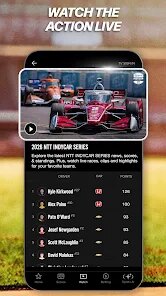
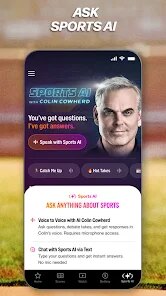
FOX Sports: Watch Live Games is, as the name suggests, the official mobile app from Fox Digital Services, LLC for streaming live sports. It first launched on the Google Play Store and the Apple App Store years ago and has since become a go-to spot for catching everything from MLB and NFL games to college football and soccer. On the Google Play listing, you will see it passed over 10 million installs, and it is completely free to download. However, to actually watch the live streams, you typically need to sign in with a cable or satellite TV provider subscription. There are no in-app purchases for content itself, but there are ads during non-live video sections. Given that registration is required for the full experience, it is clearly built for cord-cutters or anyone who already pays for a TV package and wants to watch games on their phone. The app holds a decent rating on the Google Play store, usually floating around 4.2 stars, which speaks to its popularity among die-hard sports fans who just want to plop down and watch a game without too much fuss.
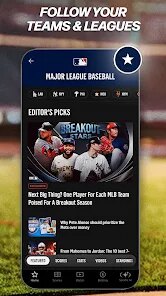
When you first open the app after you download it from the Google Play store, it asks you to select your favorite teams and leagues. This step is actually one of my top tips for using it, because once you set those preferences, the app immediately customizes the home screen to show you upcoming games and scores for only the teams you care about. To actually watch a live event, you tap on the game, and the app will check your TV provider login. I recommend doing this setup on a Wi-Fi network because streaming eats up data quickly. Also, a lesser-known trick is that you can sometimes watch the pregame and postgame shows even without a cable login, so it is worth tapping around to see what free content is available. For the games themselves, the interface is pretty straightforward, you just select the broadcast feed and hit play, but I have noticed that the app works much smoother if you close out other running apps on your phone before starting a stream.
I have tried a few other sports streaming apps on the Google Play store, like ESPN and NBC Sports, but I keep coming back to the FOX Sports app for a couple of simple reasons. First, it has better reliability for the local games I watch. With the ESPN app, I sometimes run into buffering issues on the weekend, but FOX Sports usually holds up better. Also, the interface here feels less cluttered to me. On the NBC Sports app, there are tons of menus and tabs for different shows, but the FOX app is more focused on live game viewing. It just feels like the app was designed by people who actually watch sports on a phone rather than people who want to shove a bunch of highlight clips in your face. It is not perfect by any means, but for a free download that works with my existing cable subscription, it does the job without making me want to throw my phone at the wall.
features
- 🎯 Outstanding Picture-in-Picture Mode: Compared to the CBS Sports app, the FOX Sports app lets you shrink the live game into a tiny window while you browse other stuff on your phone. On the Google Play store, this is a big deal for multitaskers. I can text my buddy or quickly check stats without the stream stopping.
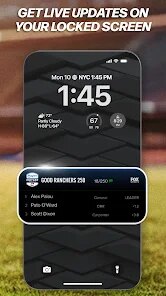
- 🎯 Personalized Notification System: Other apps like the ESPN app just blast you with every single score update. But on FOX Sports, after you download and install it, you can set alerts for only specific teams or even specific game situations, like a touchdown or a home run. It cuts down the noise big time.
- 🎯 Cleaner Live-Only Interface: When you install the app from the Google Play store and open a live game, the video player hides all the menu clutter unless you tap the screen. It is a small thing, but compared to the NBC Sports app where buttons often overlap the action, this feels way more thoughtful for someone who just wants to watch.
pros
- 🔴 Reliable streams for local games: On the ESPN app, I sometimes get a blackout or a crappy stream for my local baseball team. With FOX Sports, the local broadcast feed is almost always rock solid.
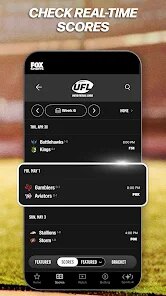
- 🔴 Smarter scheduling view: The way the app handles time zones on the schedule screen is way better than what I saw on the CBS app. It just shows my local time without clicking extra menus.
- 🔴 Faster live playback: When I tap a game on FOX Sports, the stream starts playing almost immediately. The NBC Sports app often hangs on a loading screen for a few seconds too long.
cons
- 🔵 Cable login requirement: Unlike the ESPN app which offers some free live content without a login, FOX Sports basically locks everything behind a TV provider account. If you cut the cord, this app is dead in the water.
- 🔵 Confusing video archive: Finding replays of past games is a mess compared to the NFL app which has a nice organized archive. The FOX Sports app hides older videos in weird sub-menus.
- 🔵 Occasional app crashes: On my older Android phone, the app crashes more often than the CBS Sports app when I am switching between a live game and the home screen. It can be frustrating mid-game.
Recommended Apps
![]()
Secret Crush Detector App
Hopeitz Software4.8

![]()
Anima
ChristopherMoore03.2![]()
Sam's Club: Shopping & Savings
Sam's Club4.8![]()
FunSwap - AI Face Swap
AI Tech Hub3.8![]()
Uber Eats: Food Delivery
Uber Technologies, Inc.4.6![]()
Air Horn Sounds : Siren Prank
AA Studio Game4.6![]()
Fontmaker - Font Keyboard App
Sociaaal LLC4.3![]()
Daily Horoscope 2024
Code Blenders4.3![]()
Bible Chat - Holy Bible Study
Book Vitals Inc.4.8![]()
Monster High Fangtastic Life
Budge Studios4.1![]()
Personalized Call from Santa (
www.PackageFromSanta.com4.3![]()
Daily Horoscope
KADO Apps4.4![]()
Does He Like Me?
KDR Games4.3![]()
Who Love You? Personality Test
BuzzForFun0![]()
Lisa AI: Cartoonify Avatar Art
Convert Software2.9














Hot Apps
-
![]()
Google Gemini
Google LLC4.6 -
![]()
Pinterest
Pinterest4.5 -
![]()
Afterpay - Buy Now Pay Later
Afterpay3.8 -
![]()
Zoom - One Platform to Connect
zoom.us4.1 -
![]()
PolyBuzz: Chat with AI Friends
CLOUD WHALE INTERACTIVE TECHNOLOGY LLC.3.8 -
![]()
Facebook
Meta Platforms, Inc.4 -
![]()
GroupMe
GroupMe4.5 -
![]()
Chai: Chat AI Platform
Chai Research Corp.4.3 -
![]()
Wise: International Transfers
Wise Payments Ltd.4.7 -
![]()
Google Pay
Google LLC4.4 -
![]()
Signal Private Messenger
Signal Foundation4.5 -
![]()
Snapchat
Snap Inc4.1 -
![]()
Google Chrome: Fast & Secure
Google LLC4.1 -
![]()
Netflix
Netflix, Inc.3.9 -
![]()
WhatsApp Messenger
WhatsApp LLC4.5 -
![]()
Affirm: Buy now, pay over time
Affirm, Inc4.7 -
![]()
ChatOn - AI Chat Bot Assistant
AIBY Inc.4.4 -
![]()
Pandora - Music & Podcasts
Pandora4.1 -
![]()
Cash App
Block, Inc.4.6 -
![]()
Geeni
Merkury Innovations4.6 -
![]()
Hulu: Stream TV shows & movies
Disney4.5 -
![]()
Amazon Fire TV
Amazon Mobile LLC4.1 -
![]()
Microsoft Teams
Microsoft Corporation4.6 -
![]()
PayByPhone
PayByPhone Technologies Inc .4.9 -
![]()
Ticketmaster-Buy, Sell Tickets
Ticketmaster L.L.C.3 -
![]()
GasBuddy: Find & Pay for Gas
PDI Software, Inc.3.1 -
![]()
Snapmint: Buy Now, Pay in EMIs
Snapmint4.5 -
![]()
Duolingo: Language & Chess
Duolingo4.7 -
![]()
Venmo
PayPal, Inc.4.2 -
![]()
ChatBot - AI Chat
X PhotoKit4.5